
iPhone setup
Set up SmishAlert on your iPhone in about two minutes.
Download the app, then flip one switch in your iPhone's Settings. After that, scam texts from numbers you don't know get sorted out of your main inbox on their own. Here's every screen you'll see, in order.
Free to download. Screens shown on iOS 26.6; older versions may word things slightly differently.
- 1
SmishAlert app
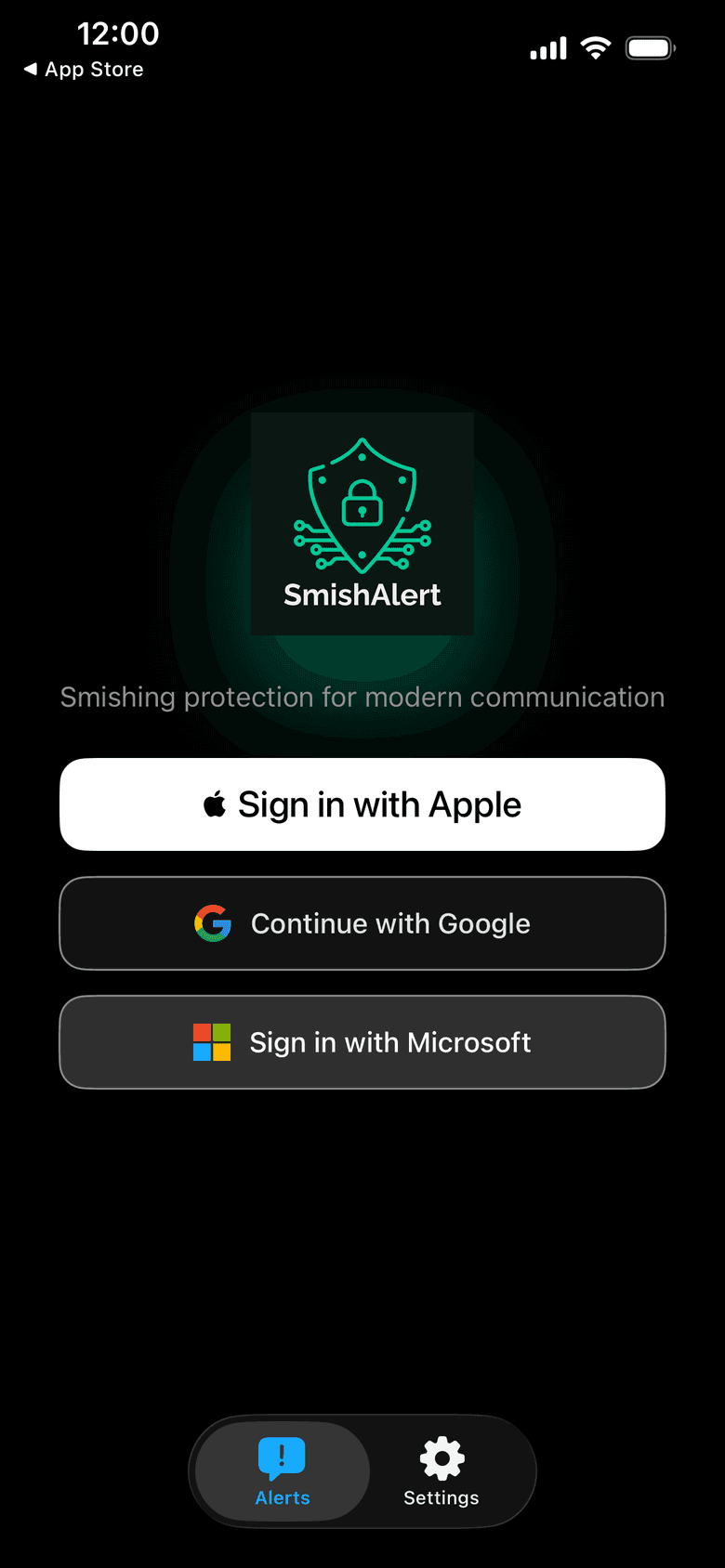
Open SmishAlert and sign in
Once the download finishes, open SmishAlert. Sign in with Apple, Google or Microsoft, whichever you already use. Signing in is what lets you check messages and see your results later.
- 2
SmishAlert app
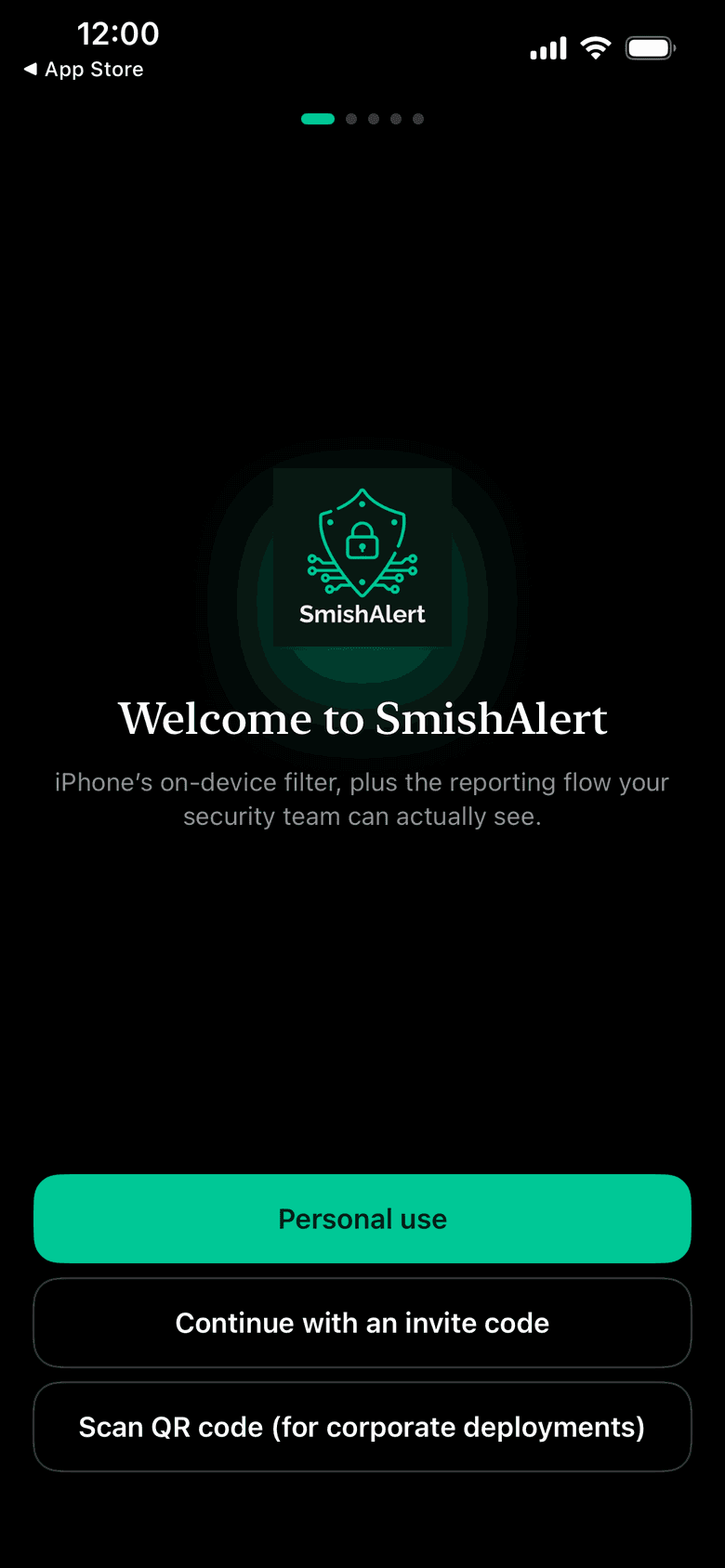
Tap Personal use
Choose Personal use. The other two buttons are for people whose employer or school sent them an invite code or a QR code.
- 3
SmishAlert app
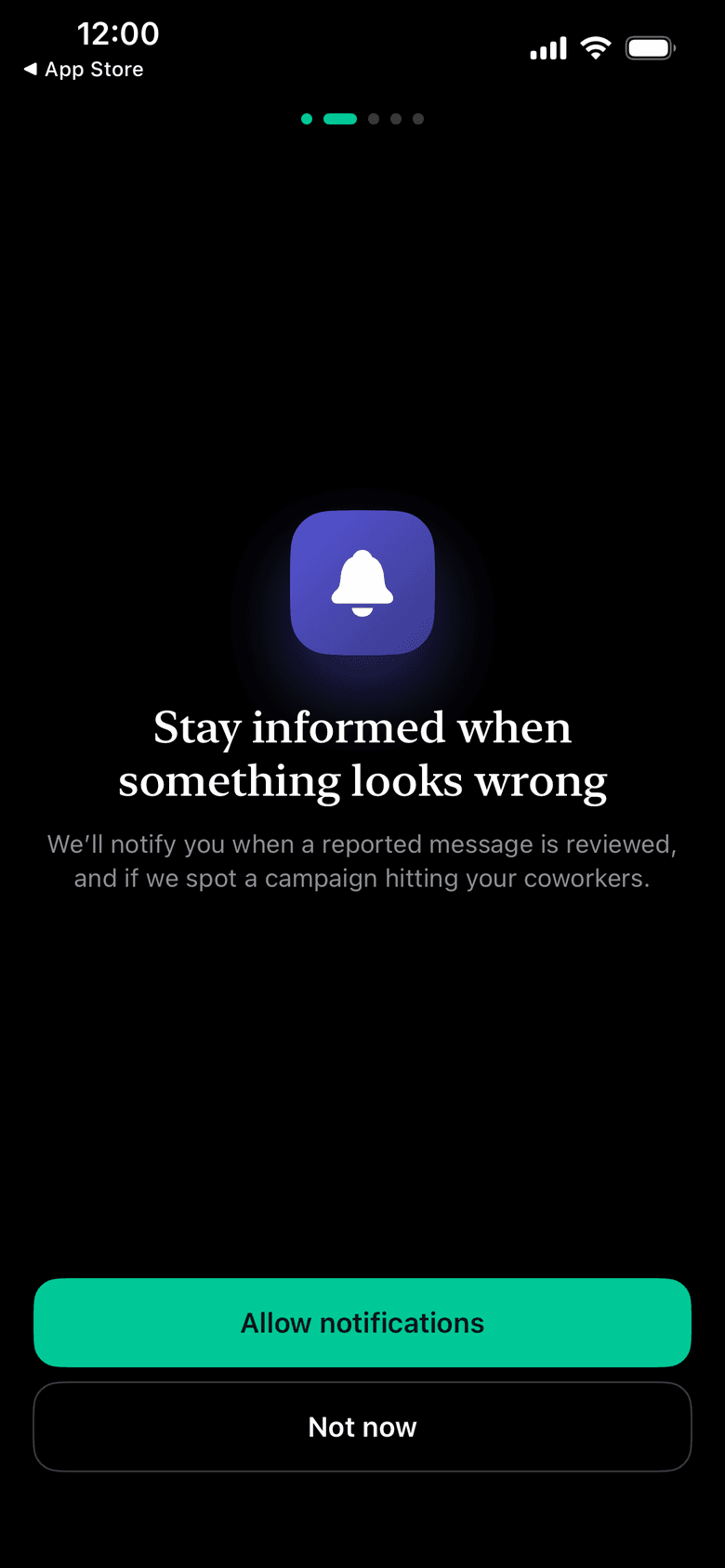
Allow notifications
Tap Allow notifications so you hear back when a message you've checked has a result. You can change this any time in Settings.
- 4
SmishAlert app
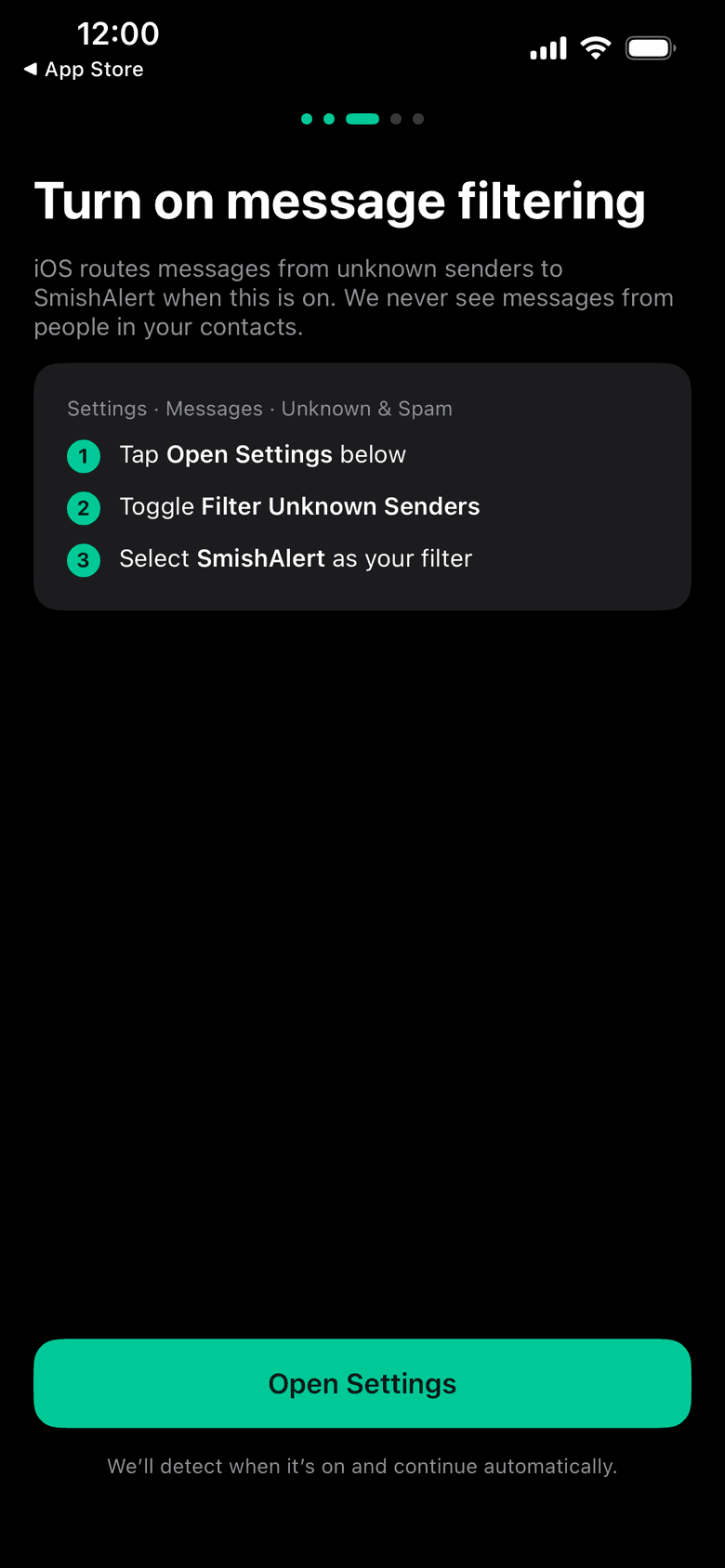
Tap Open Settings
SmishAlert now asks you to turn on message filtering. This part happens in your iPhone's Settings app, not inside SmishAlert, so tap Open Settings and the app will wait for you.
When you come back, SmishAlert notices the switch is on and moves ahead by itself.
- 5
iPhone Settings
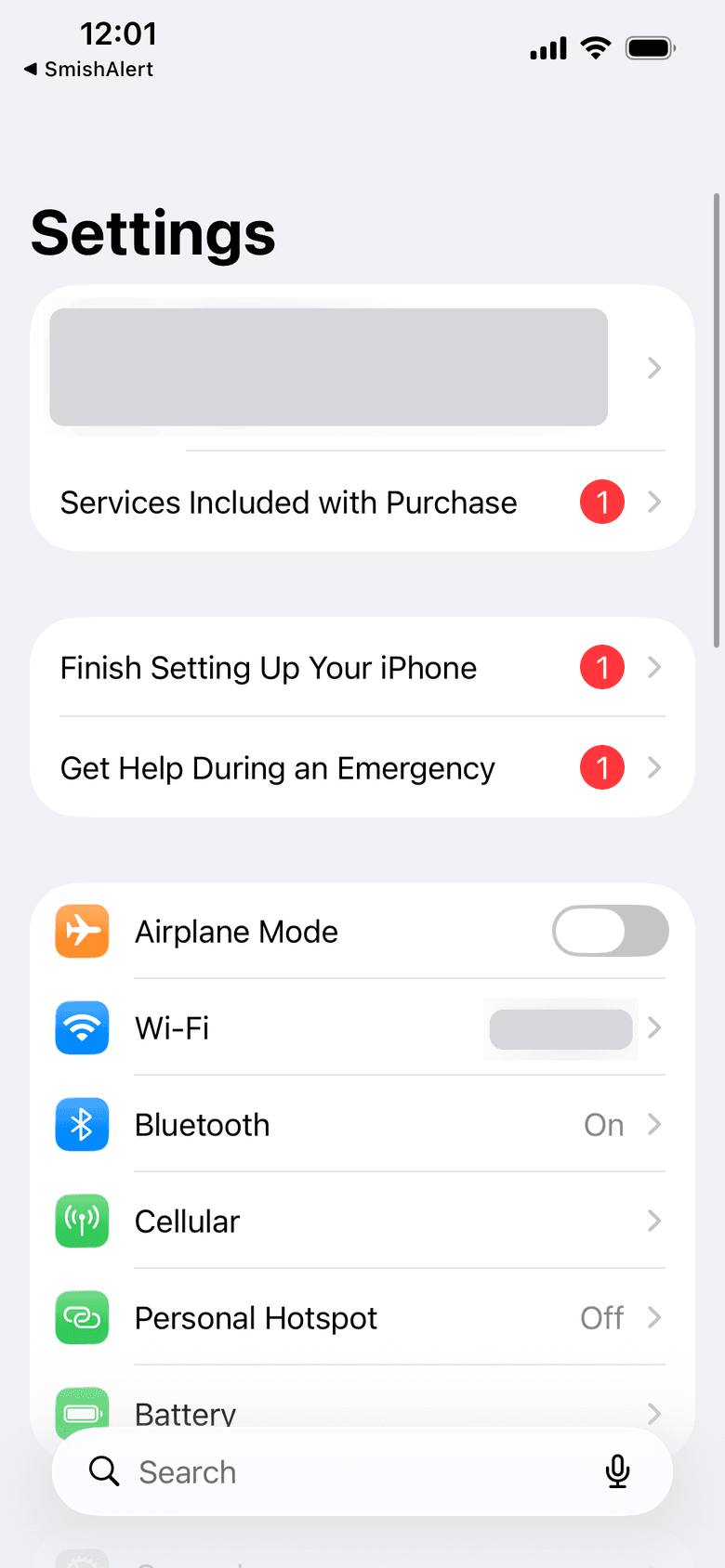
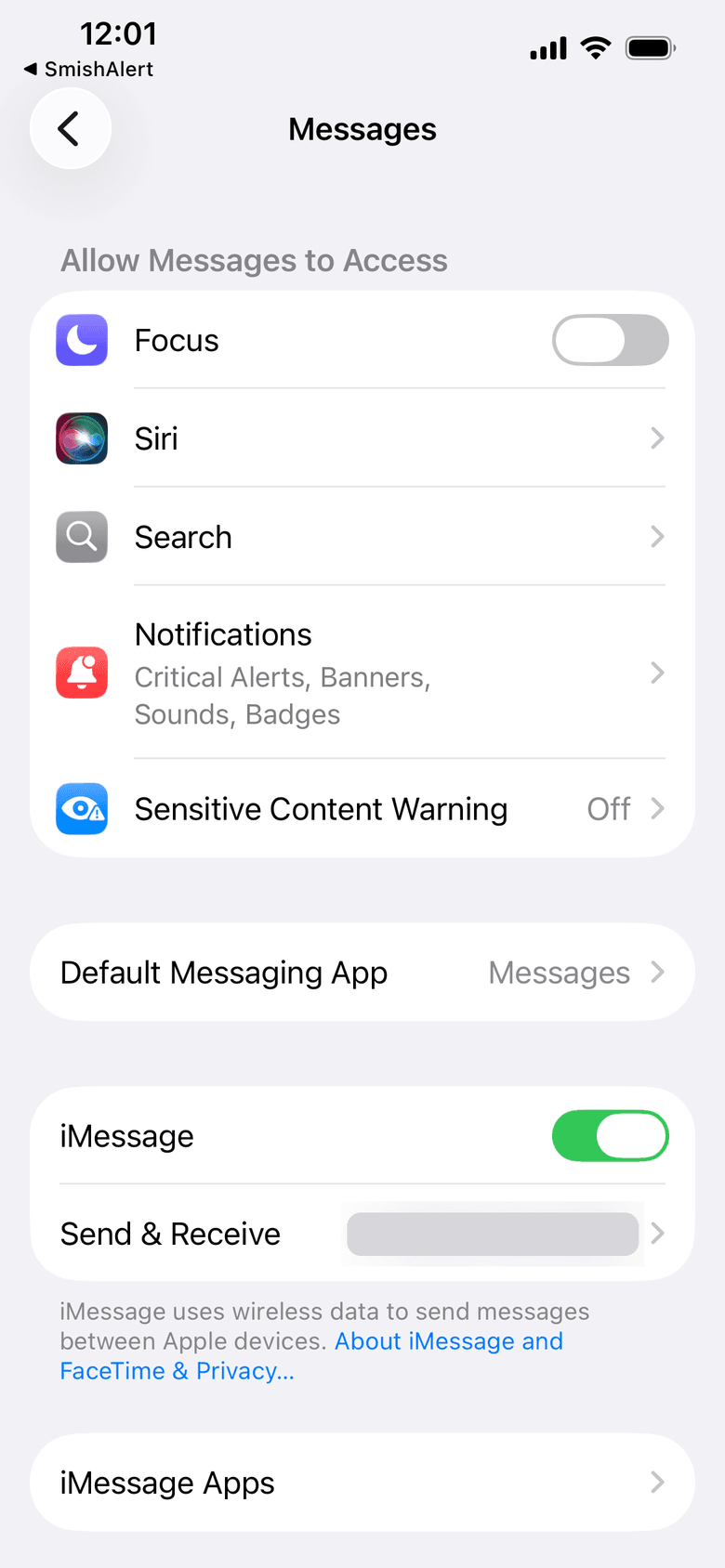
Find Messages in Settings
You may land on the main Settings screen. That's normal. Scroll down and tap Apps, then tap Messages.
Quicker: type Messages into the search bar at the bottom of Settings and tap it.
- 6
iPhone Settings
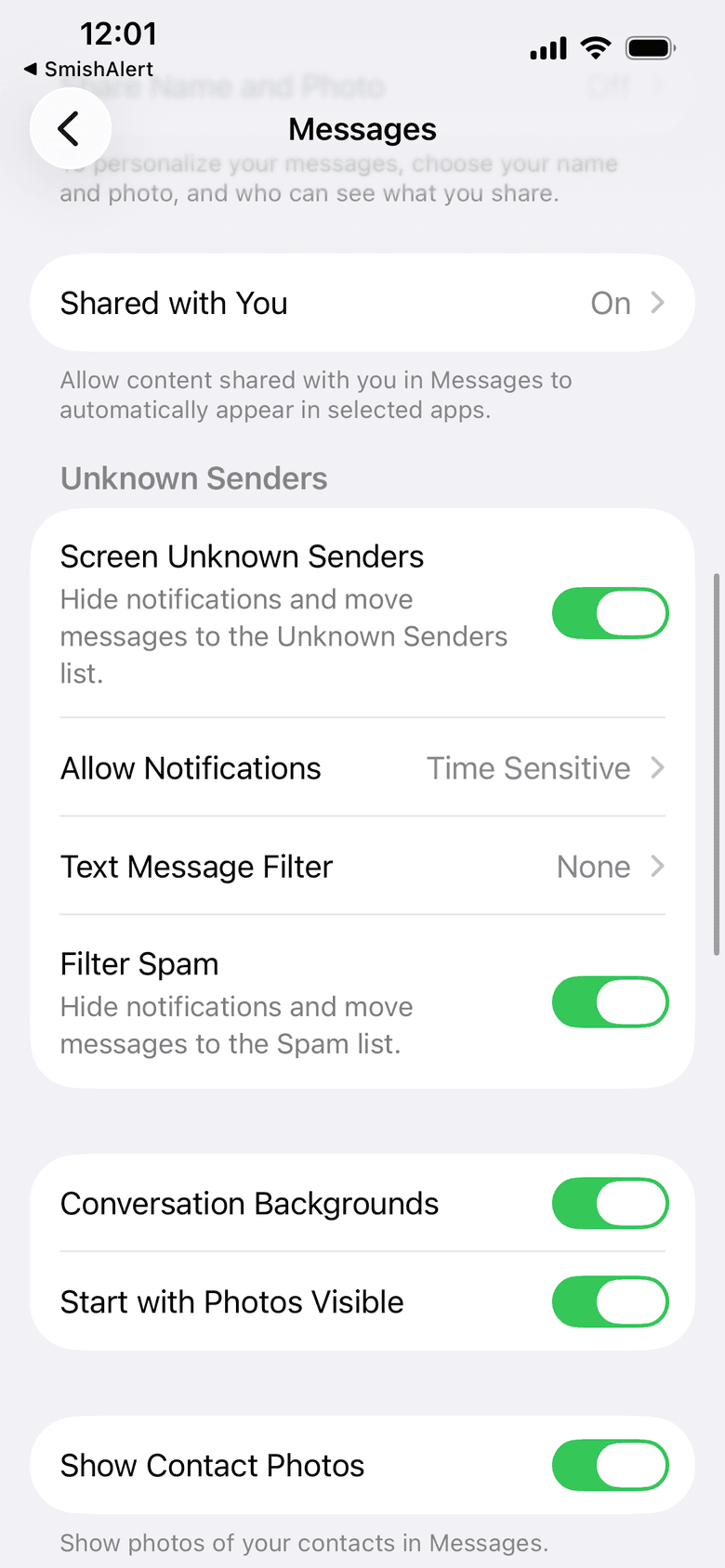
Turn on Screen Unknown Senders, then tap Text Message Filter
On the Messages page, scroll down to the Unknown Senders section. Turn on "Screen Unknown Senders" so the switch is green. Then tap "Text Message Filter", which will say None for now. Leave Filter Spam on.
Time-sensitive messages, like a code your bank texts you, still come through with a notification.
- 7
iPhone Settings
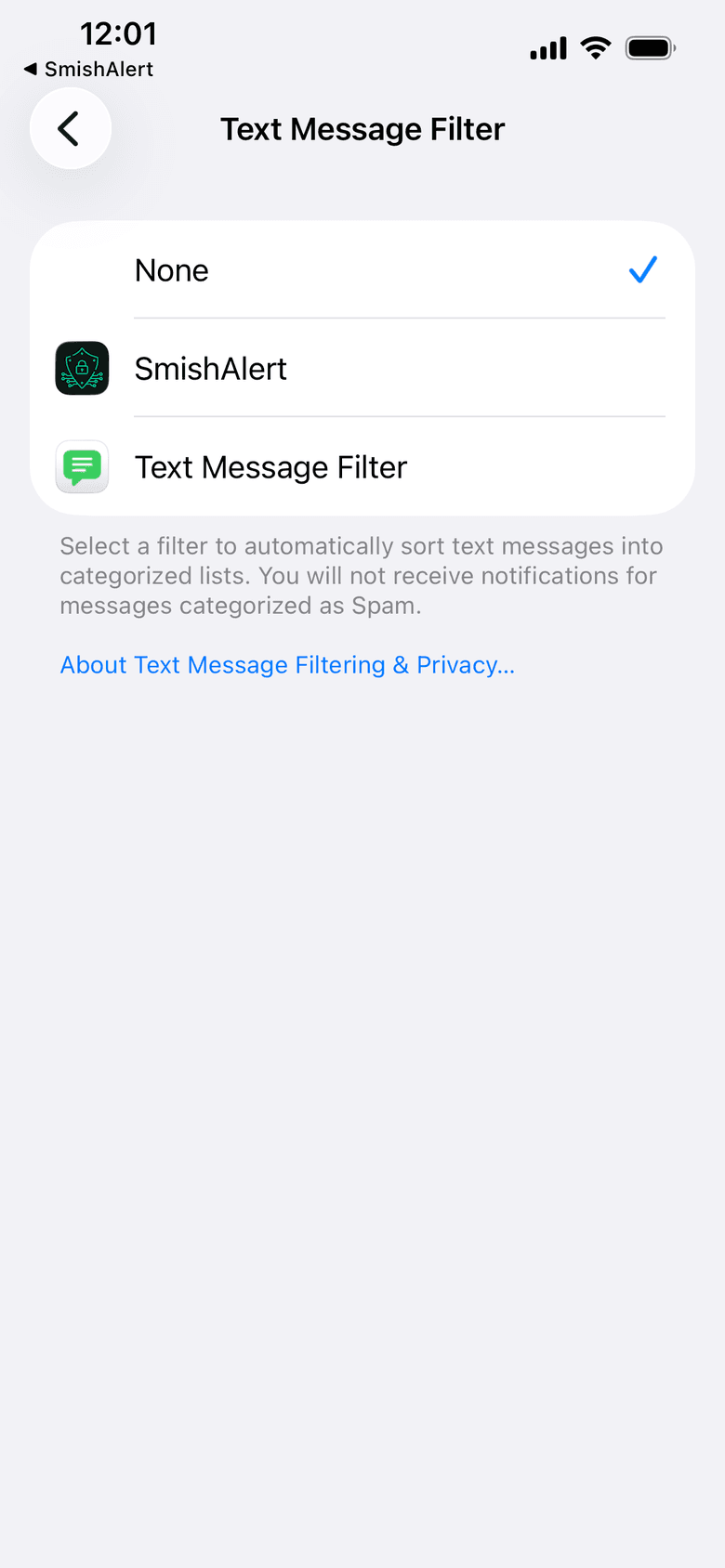
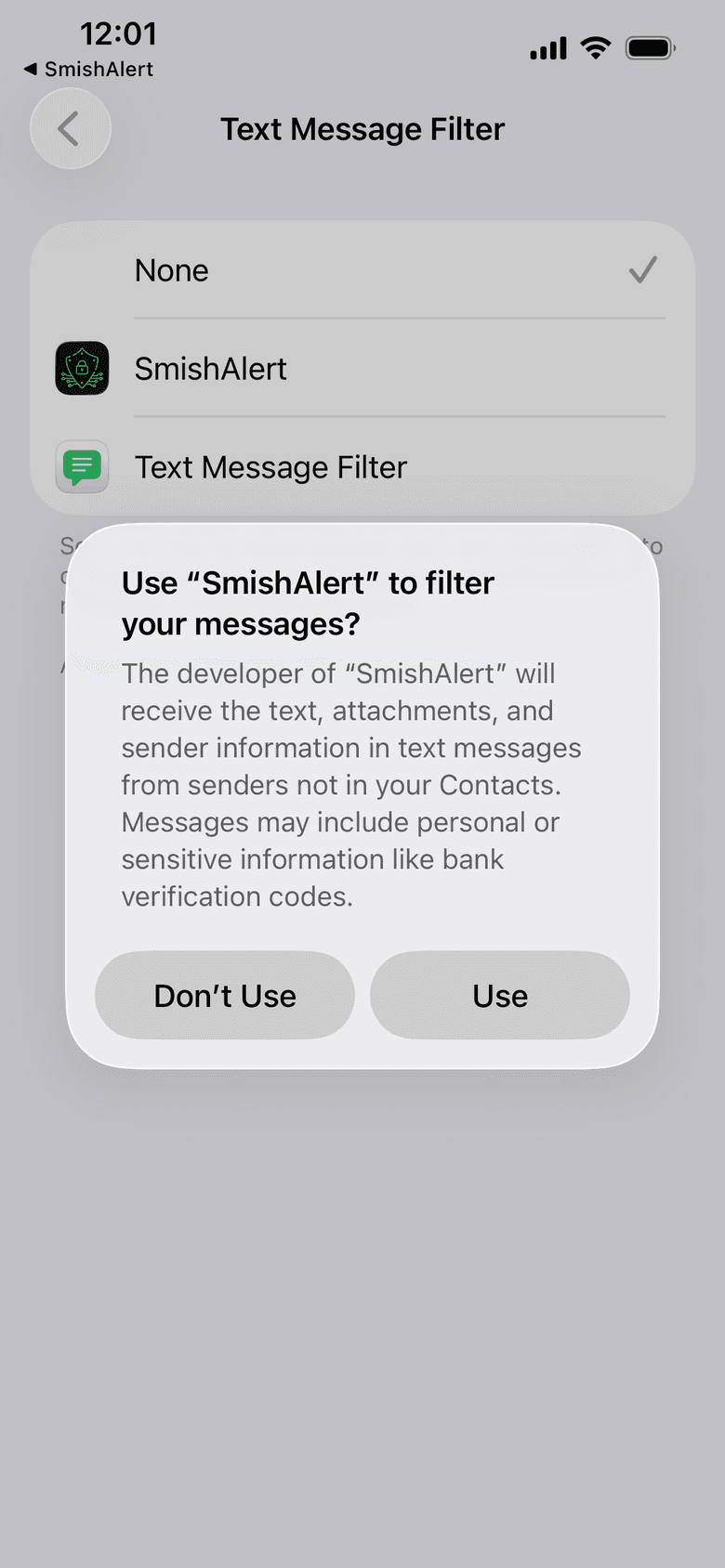
Choose SmishAlert and tap Use
Tap SmishAlert in the list. Your iPhone shows a notice about what a message filter can see. That's Apple's standard wording for every filter app. It only covers texts from numbers that aren't in your contacts. Tap Use.
Messages from people in your contacts are never included. On the free Personal plan, the check happens on your iPhone.
- 8
iPhone Settings
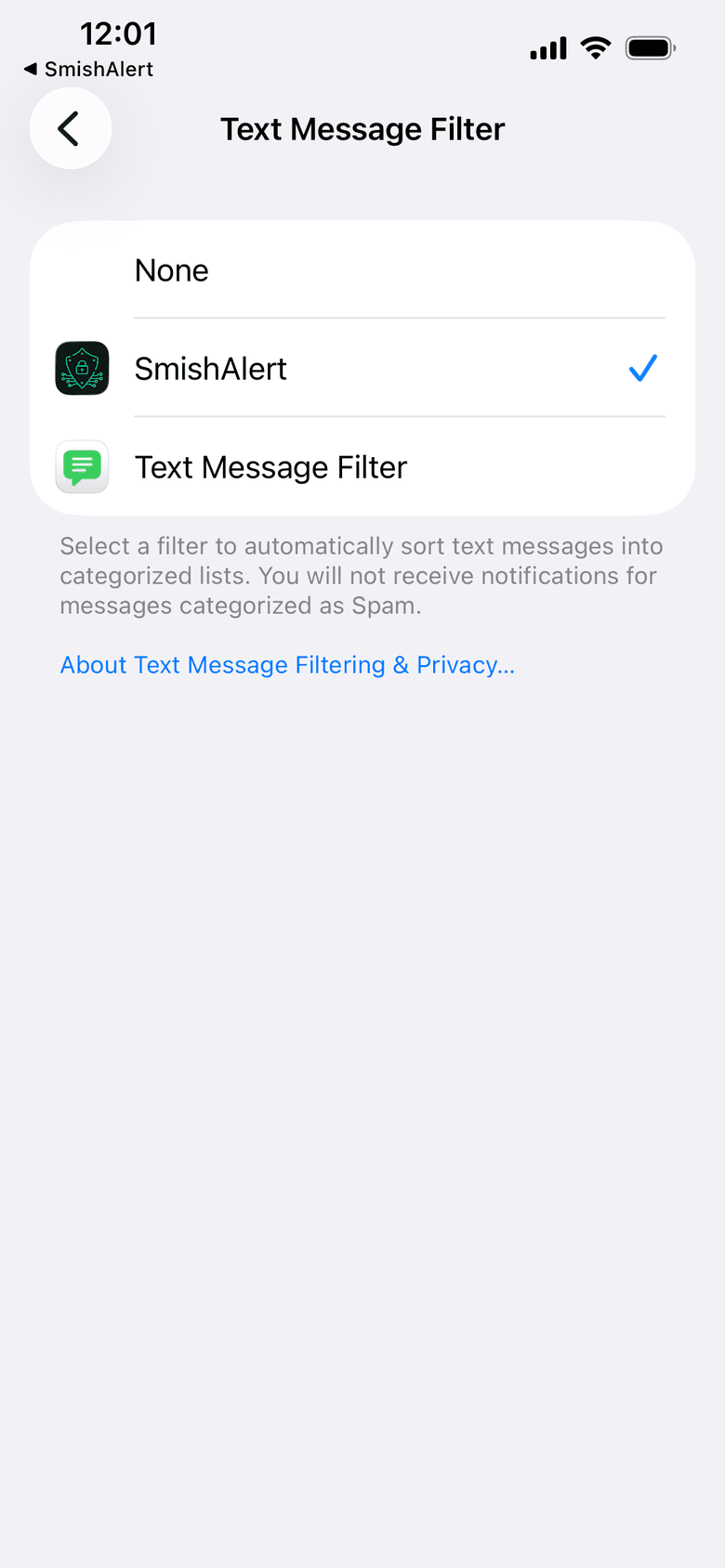
Check for the checkmark, then go back
SmishAlert should now have a blue checkmark next to it. That's the switch that matters. Tap SmishAlert in the top-left corner of the screen to go back to the app.
- 9
SmishAlert app
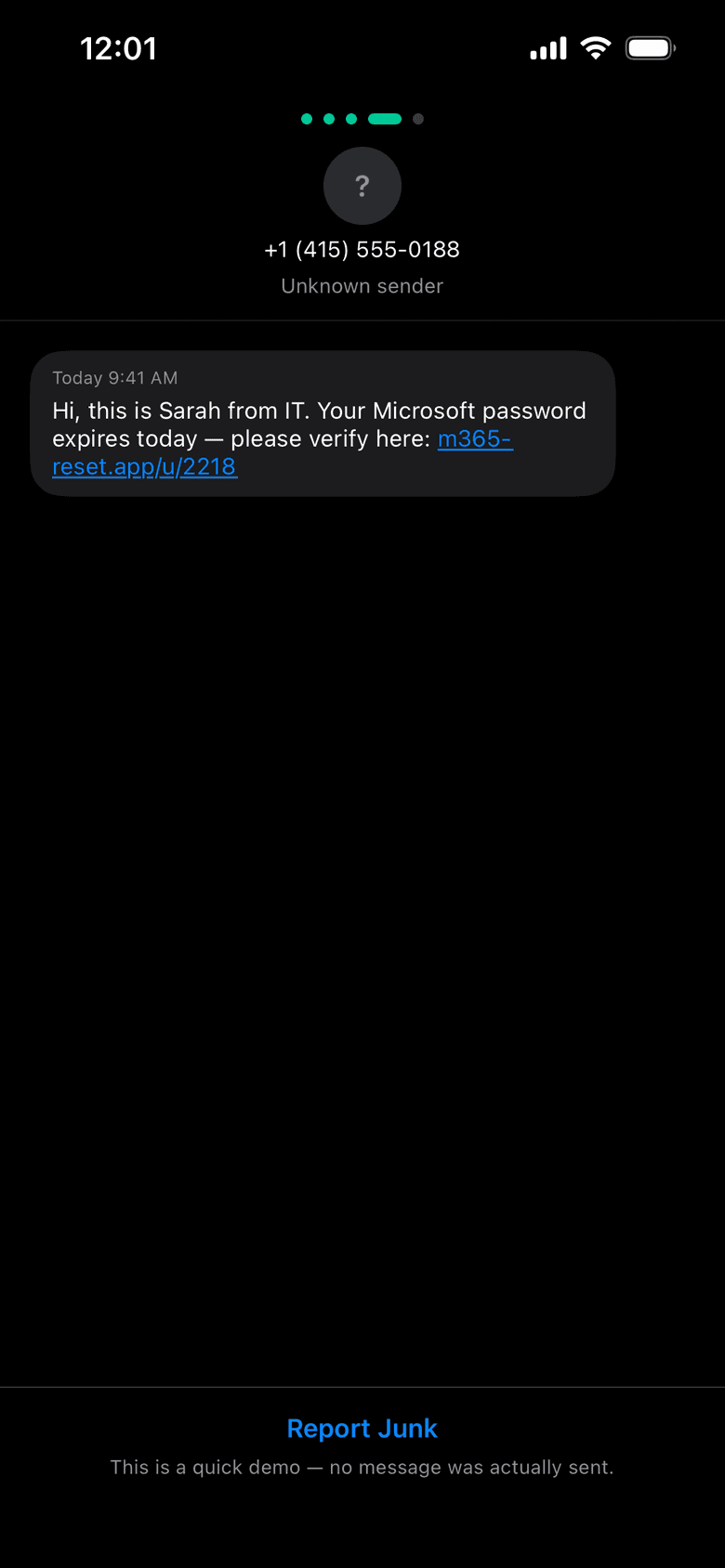
Try a practice report
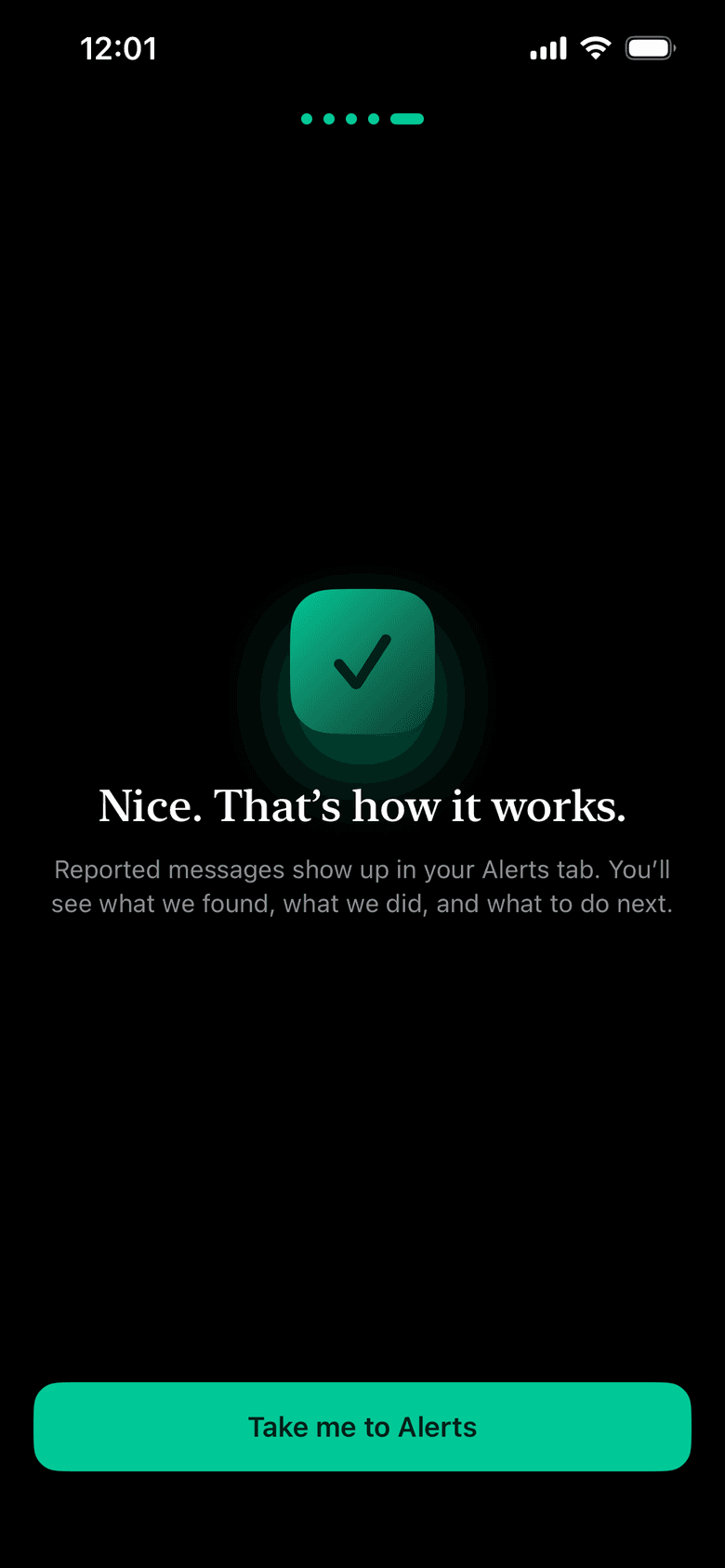
SmishAlert shows you a pretend scam text so you can see what reporting feels like. Tap Report Junk. Nothing was actually sent to you or anyone else.
You're set
What happens now
Your main inbox gets quieter
Texts from numbers you don't know get sorted on their own. Ones that look like scams or junk go to a separate list in Messages, so they stop interrupting you.
You can check anything you're unsure about
Got a text, a WhatsApp message or a DM that feels off? Take a screenshot or use Share and send it to SmishAlert. You'll get a plain-language answer about what it is and what to do next.
There's nothing else to keep open
Filtering runs in the background. Open the app when you want to check a message or look at your results.
FAQ
Questions people ask during setup
Does SmishAlert see texts from my friends and family?
No. Your iPhone only hands a filter app texts from numbers that aren't in your contacts. Messages from people you've saved are never included.
I can't find Text Message Filter.
Make sure you're on the Messages page (Settings, then Apps, then Messages) and scroll all the way down to Unknown Senders. On older versions of iOS, the same setting is under Messages, then Unknown & Spam, where it's called SMS Filtering or Text Message Filtering.
What if a text I wanted ends up filtered?
Open Messages and use the filter menu at the top of your conversation list to look in Unknown Senders or Spam. Time-sensitive texts, like a code your bank sends, still notify you.
Can I use another spam filter app too?
Your iPhone allows one text message filter at a time. Whichever one has the checkmark under Text Message Filter is the one doing the work.
Is it free?
Yes. SmishAlert Personal is free and includes filtering on your iPhone and up to 10 reports a month. Unknown Guard is an optional paid upgrade that checks texts from unknown numbers more deeply, including the links inside them. Those messages are analyzed to check them and aren't kept.
How do I turn it off?
Go back to Settings, then Apps, then Messages, then Text Message Filter, and choose None.
I have an Android phone.
Android doesn't let apps sort your text inbox the way iPhone does, so there's no filter switch to turn on. You can still download SmishAlert from Google Play and send it anything suspicious to check.
Haven't downloaded it yet? It takes a minute, and the steps above take one more.