
WhatsApp Phishing: 5 Steps to Stop QR and Device Linking Takeovers
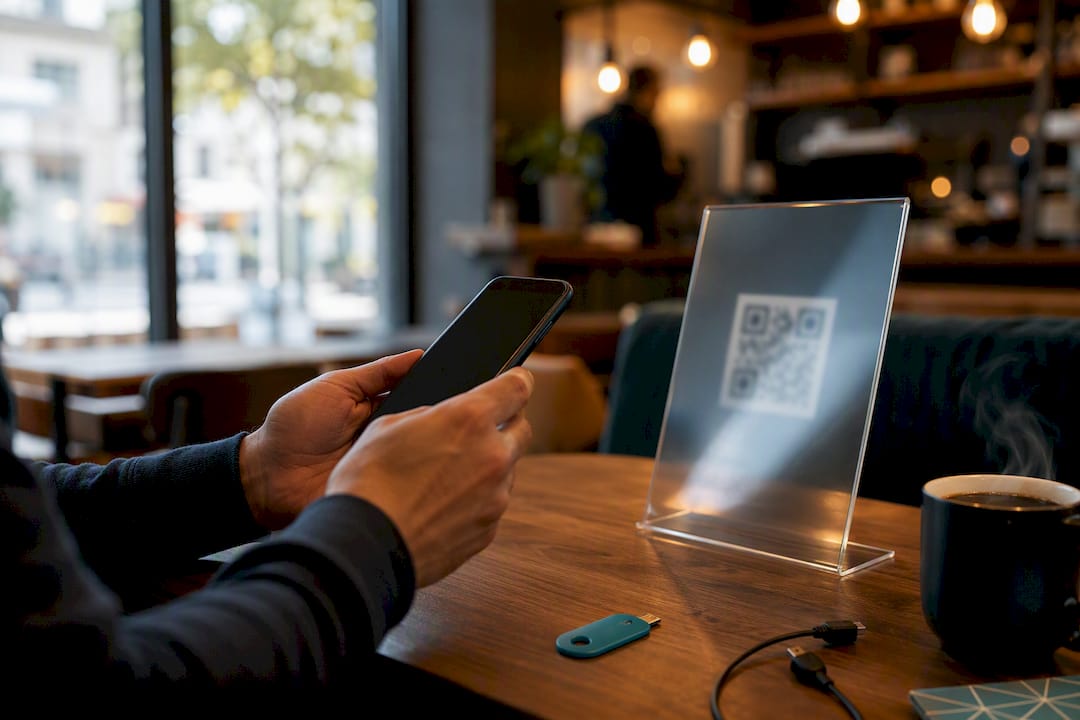
WhatsApp phishing attacks are active, effective, and increasingly built around device-linking abuse rather than stolen passwords. The fastest way to blunt them is simple: pause before clicking any unexpected link or QR code, turn on two-step verification, and check your linked devices today. The rest of this article breaks down exactly how these attacks work, what happens after a takeover, and what individuals and security teams need in place to catch them early.
TL;DR:
- Most WhatsApp phishing attacks exploit device-linking via QR codes or device requests, enabling persistent access without stolen passwords.
- Attackers often use social engineering combined with technical tricks, such as fake login pages or malicious attachments, to compromise accounts.
- Once hijacked, accounts can be used for financial fraud, surveillance, or to relay messages from compromised contacts, increasing the attack’s reach.
- Preventive measures include enabling two-step verification, regularly checking linked devices, avoiding unsolicited QR codes, and verifying unusual messages through a different channel.
- Organization-wide, training staff to recognize threat patterns and immediate account remediation steps are essential to close security gaps.
Table of Contents
- How to Spot Suspicious WhatsApp Messages, Links, and Files
- Common WhatsApp Phishing Methods You’ll Actually Encounter
- What Happens After Account Takeover, and Why Speed Matters
- Protecting Your WhatsApp Account: Steps to Take Now
- Reducing WhatsApp Phishing Risk Across an Organization
- What to Do If Your Account Is Compromised
- Where WhatsApp Phishing Is Headed Next
- How SmishAlert Closes the Messaging Visibility Gap
- Sources
How to Spot Suspicious WhatsApp Messages, Links, and Files
Most WhatsApp phishing attempts share a few tells, once you know where to look. Linguistically, watch for urgency (“your account will be deleted in 24 hours”), unnatural phrasing, or a contact suddenly writing in a tone that doesn’t match how they usually talk to you. Technically, look for shortened or misspelled domains, homoglyph tricks (a lowercase “l” swapped for an “I”), unsolicited QR codes, or instructions to “link this device.” Contextually, be suspicious of unsaved numbers, sudden requests for verification codes, or messages asking for money from someone who normally wouldn’t.
- Message arrives from an unknown or unsaved number
- Link uses a shortened, misspelled, or unfamiliar domain
- You’re asked to scan a QR code or enter a code you didn’t request
- The file attached is a document type you weren’t expecting
- The tone creates urgency or threatens a deadline
Reported losses to social media and messaging scams are substantial according to reporting cited by The Verge., according to reporting cited by The Verge. When in doubt: pause, verify through a separate channel like a phone call, don’t click, and report the message.
Common WhatsApp Phishing Methods You’ll Actually Encounter
Understanding the mechanics behind each method matters more than memorizing red flags, because the flow itself is the giveaway.
- Link-based credential theft. Fake login pages mimic WhatsApp Web and harvest usernames, passwords, and two-factor codes the moment a victim types them in.
- QR and device-linking (“ghost-pairing”) attacks. This is the most effective technique in circulation right now. Phishing pages push an attacker-controlled QR code or instruct the victim to enter a code, which authenticates a new session under WhatsApp’s Linked devices feature and hands the attacker persistent access without ever touching a password.
- Malicious attachments. Some campaigns send fake business documents carrying VBScript payloads that, once opened on Windows, install remote administration tools, according to BleepingComputer.
- Compromised-contact relays. Once one account is hijacked, attackers use it to message the victim’s real contacts, which is far more convincing than a stranger’s outreach.
Attackers commonly chain social engineering with technical trickery, phishing pages that request device permissions, QR push flows, to turn a single click into persistent access and ongoing surveillance.
A campaign nicknamed “vote for my friend” illustrates the relay method well: it convinces recipients to follow a link that abuses the Linked devices feature to authorize a new session, bypassing the password entirely.
What Happens After Account Takeover, and Why Speed Matters
Once an attacker links a device to a victim’s WhatsApp account, that session persists quietly in the background. They can impersonate the victim to request money from friends and family, harvest reused credentials for other accounts, or run payroll and gift-card fraud schemes against coworkers who trust the sender.
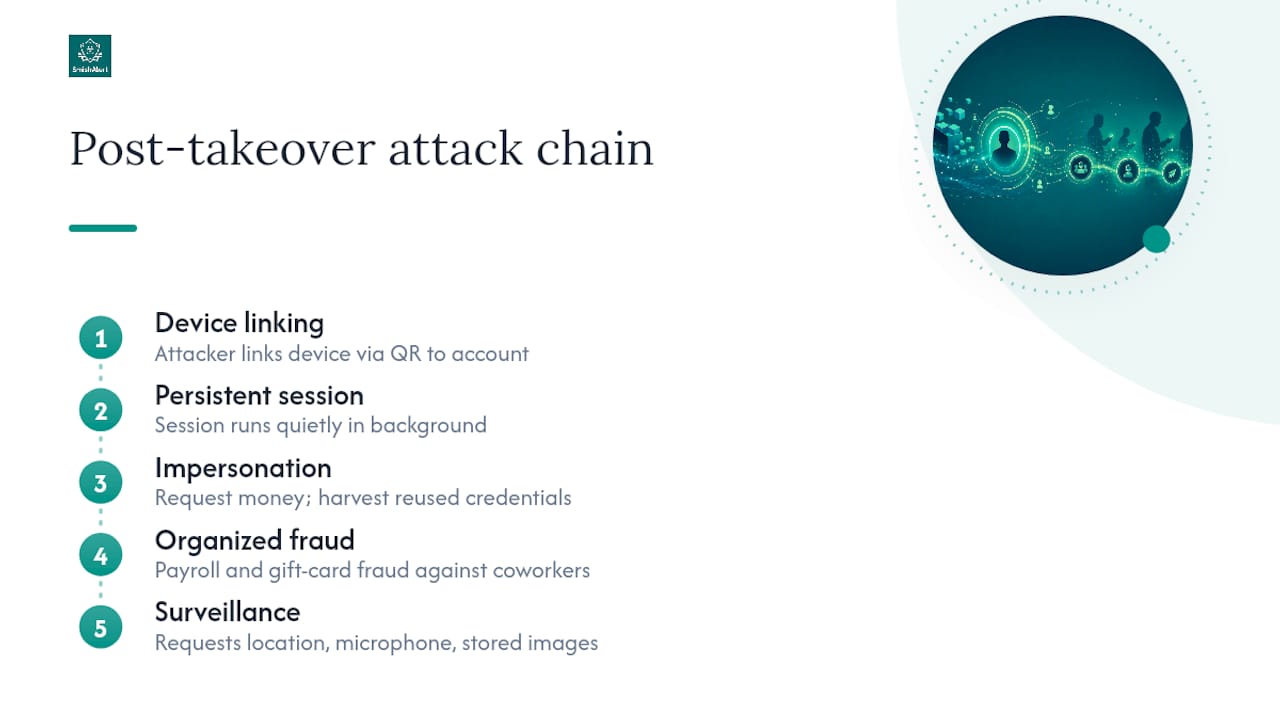
Some campaigns go further. Researchers tracking a sophisticated operation across the Middle East found that attacker-controlled sessions requested browser permissions that exposed location data, microphone access, and stored images, turning a phishing click into an ongoing surveillance channel. Investigations into related campaigns have connected some of this activity to nation-state-linked targeting, which underscores that this isn’t limited to opportunistic scammers.
Financial fraud tied to messaging platforms has become a noteworthy issue tracked separately from email phishing, with regulators now tracking it as its own category, separate from email phishing.
Protecting Your WhatsApp Account: Steps to Take Now
Most individual protection comes down to five habits, and they take less time to build than to explain.
- Turn on two-step verification and pick a PIN that isn’t your birthday or a number you use elsewhere.
- Check Settings → Linked devices on a regular basis and unlink anything you don’t recognize.
- Never scan a QR code or follow device-linking instructions unless you started that process yourself.
- Skip unexpected attachments, especially documents from numbers you don’t have saved, and keep your phone’s OS and apps current.
- Verify anything unusual through a second channel before acting on it, and use WhatsApp’s built-in block and report tools liberally.
Pro Tip: If a “friend” messages asking you to click a link, click nothing. Call them instead. A ten-second phone call defeats almost every relay attack described above.
For deeper device hygiene guidance, see personal SMS safety best practices. WhatsApp itself recommends pausing to analyze unexpected messages and enabling two-step verification as baseline defenses.
Reducing WhatsApp Phishing Risk Across an Organization
Messaging apps remain a blind spot for most security operations centers, largely because SIEM and email gateways were never built to see WhatsApp traffic on personal or BYOD devices. That gap matters: WhatsApp’s own on-device Scam Alert feature flags likely scams from unknown senders, but it can’t catch messages from a contact who’s already compromised, which is exactly the relay pattern attackers rely on most.
- Train employees to recognize device-linking prompts and urgent-payment requests, not just generic “phishing” cues
- Give staff an easy, low-friction way to report suspicious messages
- Run simulated phishing campaigns that include messaging channels, not just email
- Correlate reported messages for shared domains, templates, or short-lived dynamic DNS patterns across users
Pro Tip: Treat every reported WhatsApp message as potential threat intelligence. A single sample can reveal a domain pattern tied to a dozen other compromised accounts once correlated. Explore live campaign examples to see how these indicators surface in practice, and review broader SMS phishing prevention guidance for building the playbook.
What to Do If Your Account Is Compromised
Act in this order, and don’t skip steps to save time.
- Log out of all linked devices immediately (Settings → Linked devices → Log out from all devices) and reset your two-step verification PIN.
- Revoke browser and app permissions granted during the incident, then run a full antivirus scan on any device that opened a suspicious link or file.
- Change any reused passwords and enable two-step verification everywhere it’s missing.
- Notify your contacts that your account was compromised so they don’t act on fraudulent messages sent in your name.
- Escalate to your security team if this happened on a work device, and preserve message logs and screenshots for analysis. For account-specific technical scenarios, see remote mobile device threat examples. QR-specific abuse is covered in more depth in this QR code fraud risk guide.
Where WhatsApp Phishing Is Headed Next
On-device warnings like Scam Alert are a real step forward, but they solve the easy half of the problem. They can’t flag a message from a contact whose own account is already hijacked, and that relay pattern is where the most damage happens now. Defenders who rely solely on platform-level protections will keep missing the campaigns that matter most.
The priority for 2026 is cross-channel detection paired with fast, low-friction user reporting. Organizations should run a readiness check now and add messaging telemetry to SOC visibility before the next compromised-contact campaign lands in an employee’s inbox.
— Sophie
How SmishAlert Closes the Messaging Visibility Gap
The device-linking and compromised-contact scenarios above share one problem: they happen outside the corporate perimeter, where email security tools have no visibility at all. Smishalert was built specifically for that gap. It captures and correlates reported messaging attacks across SMS, iMessage, and WhatsApp, flags executive-impersonation attempts before employees act on them, and produces audit-ready reporting your SOC can actually use.

That combination directly answers the threats covered here: campaign correlation catches the short-lived domains and repeated templates behind QR and link-based attacks, while executive-impersonation detection targets the exact relay pattern that on-device warnings miss. If your team handles managed, BYOD, or executive devices, check the platform’s core capabilities or run the two-minute readiness check to see where your current coverage stands before your next messaging-based incident.
Sources
- WhatsApp is testing a new warning for scam messages | Malwarebytes
- How a hacking campaign targeted high-profile Gmail and WhatsApp users across the Middle East | TechCrunch
- WhatsApp account takeover scam asks you to “vote for my friend” | Malwarebytes
- WhatsApp phishing attack uses fake business docs to hack PCs | BleepingComputer