
Security Teams: Smishing vs Phishing, Why SMS Bypasses Email Defenses
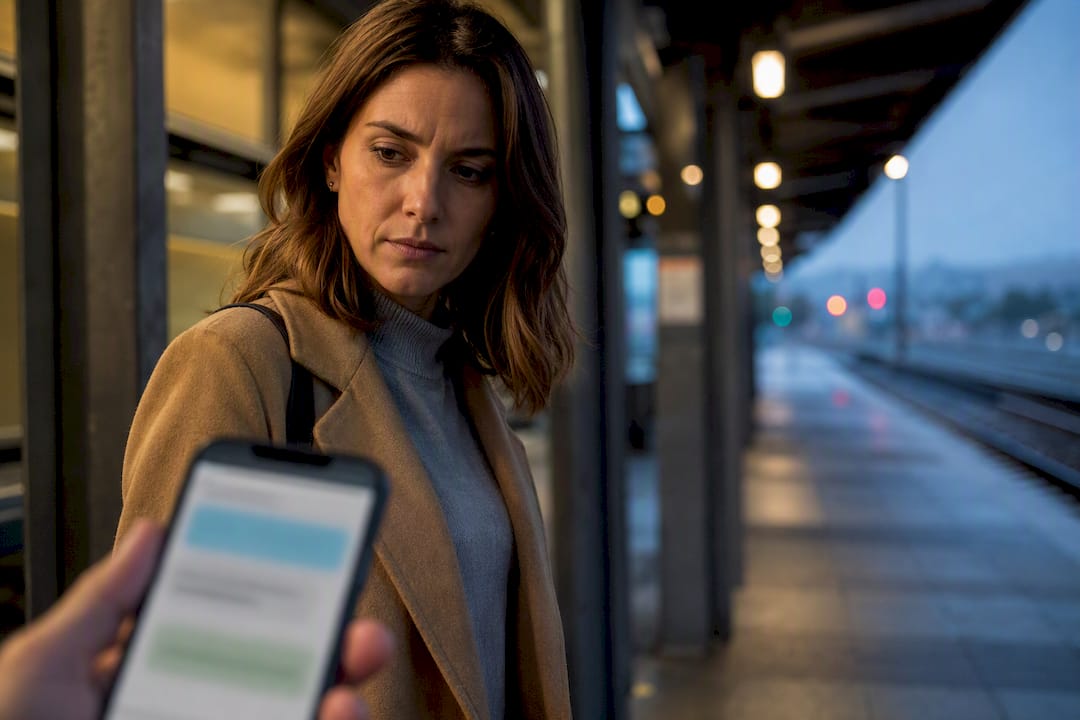
Smishing is text-message phishing; phishing is the umbrella term covering every channel attackers use to steal credentials or money, including email, SMS, and voice. Every smishing attack is phishing, but not every phishing attack arrives by text. The practical risk difference is real: text-based lures exploit mobile habits that email filters were never built to catch, and the detection steps below reflect that.
TL;DR:
- Smishing often bypasses desktop email inspection tools by using shortened URLs and mobile-specific tactics to exploit distraction and urgency.
- Attackers increasingly combine smishing with voice calls to escalate account compromises through multi-channel coordination.
- Recognizing signs such as unfamiliar sender IDs, shortened links, and threatening language can prevent falling for smishing scams.
- On-device filtering and employee training are essential for detecting threats that bypass traditional corporate email security controls.
- Implementing security platforms that monitor SMS and messaging apps helps identify and mitigate mobile messaging attacks effectively.
Table of Contents
- Smishing vs Phishing: What Sets Email-Based Attacks Apart
- What Is Smishing, and Why Does SMS Change the Risk Model?
- How They Differ at a Glance
- Common Lures and Realistic Examples to Recognize
- Why This Matters: The Scale of the Problem
- How to Spot a Suspicious Message and What to Do Next
- How Organizations Detect and Respond to Smishing
- A Practical Priority Order for Closing the Gap
- See How SmishAlert Closes the Mobile Blind Spot
- Sources
Smishing vs Phishing: What Sets Email-Based Attacks Apart
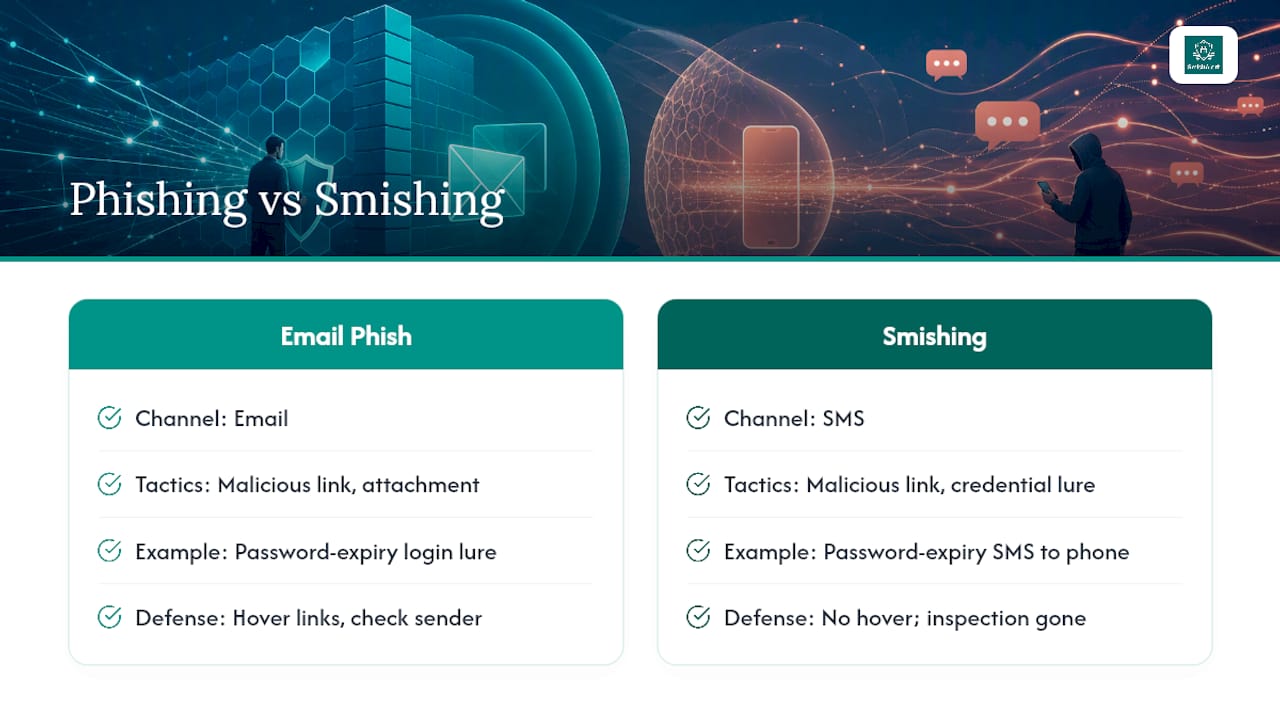
Phishing is a social engineering attack that impersonates a trusted sender to trick someone into handing over credentials, payment information, or account access. Email remains its primary delivery channel, and the mechanics have stayed remarkably consistent for two decades: a malicious link that leads to a fake login page, an infected attachment disguised as an invoice, or a message designed purely to harvest credentials once you type them in.
A typical example looks mundane by design. You get an email that appears to come from your email provider, warning that your password will expire in 24 hours. The link routes to a login page that looks identical to the real one. Enter your credentials, and the attacker now owns your account.
What makes email phishing distinct is the room it gives a careful reader to inspect it. You can hover over a link to preview the destination URL, check the sender’s actual address rather than the display name, and scrutinize formatting for the small inconsistencies that give a fake away. That inspection window is exactly what disappears once the same attack moves to a phone screen.
What Is Smishing, and Why Does SMS Change the Risk Model?
Smishing is phishing delivered through SMS, MMS, or messaging apps like WhatsApp and iMessage, and it flips the advantages that make email phishing somewhat easier to catch. There’s no hovering over a link on a phone. Text messages compress URLs by default, so a shortened link gives you no visual clue about where it actually leads, and people tend to read texts the moment they arrive, often while distracted, which cuts the pause that catches a bad email. Mobile-specific constraints like these are a big part of why smishing performs so well for attackers, and shortened links compound the problem by stripping away the preview cues a desktop browser would normally show.
The payloads themselves mirror what shows up in email, adapted for the smaller screen. A text lures you to a fake login page, prompts you to install a malicious app disguised as a delivery tracker or banking tool, or asks you to forward a one-time passcode that just landed in your messages. That last one is particularly damaging, because it turns a legitimate multi-factor authentication step into the very thing an attacker needs to complete an account takeover.
How They Differ at a Glance
Delivery channel drives almost everything else about how these attacks behave, from who gets targeted to what tips you off.
- Channel and reach: Email phishing scales through mass distribution lists and corporate directories; smishing goes straight to a personal device, often bypassing whatever security controls a company has in place at the network level.
- Psychological trigger: Email leans on formality (fake invoices, HR notices, IT tickets), while SMS leans on urgency and immediacy (a missed delivery, a locked account, a suspicious charge you need to confirm right now).
- Detection signal: Email red flags include mismatched sender domains and odd formatting; SMS red flags include unfamiliar area codes, shortened links, and a sender ID that doesn’t match any business you’ve given your number to.
- Voice variant: Vishing, or phishing by phone call, adds live pressure a text or email can’t replicate. A scammer on the line can improvise, push back on hesitation, and escalate urgency in real time.
- Coordinated attacks: Increasingly, these channels work together. A text captures a one-time code, then a follow-up call uses that code to authorize a fraudulent transaction before the victim realizes what happened.
The overlap matters as much as the differences. All three share the same goal: get you to act before you think. Recognizing which channel you’re in tells you which specific cue to check first.
Common Lures and Realistic Examples to Recognize
Most smishing and phishing attempts recycle a small set of themes because those themes reliably work. Recognizing the pattern matters more than memorizing any single example.
- Delivery and shipping alerts claim a package is held pending a small fee, with a shortened link to a fake payment page. This is one of the most reported smishing formats, in part because almost everyone is expecting a package at any given time.
- Bank fraud alerts mimic real fraud-alert formats banks actually use, asking you to “confirm” a charge by texting back or tapping a link.
- Password reset emails impersonate a known service, warning of expiration or suspicious login activity, with a link to a convincing fake login page.
- Invoice or attachment emails pose as a vendor or internal request, carrying a malicious attachment disguised as a PDF.
- Coordinated chains start with an email, escalate to a text containing a “verification code,” then finish with a phone call from someone posing as a bank representative asking you to read that code aloud, a sequence documented in real vishing-smishing case studies.
Why This Matters: The Scale of the Problem
A very large number of identity theft reports were filed in 2025, according to Experian’s summary of FTC data, and phishing, smishing, and vishing together account for a large share of how that theft starts.
The two channels differ in how they cause damage. Vishing tends to produce larger losses per incident because a live caller can pressure a victim into a large wire transfer or gift card purchase in a single call. Smishing runs at higher volume, spreading cheaply across thousands of numbers to catch a smaller percentage of victims for smaller amounts each. Both are getting more convincing as attackers fold in AI-generated text and voice cloning, which is pushing multi-channel escalation from a rare tactic to a routine one.
How to Spot a Suspicious Message and What to Do Next
A few consistent signals show up across nearly every smishing or phishing attempt, regardless of channel.
- An unexpected sender, especially one claiming urgency about an account you weren’t actively using.
- A shortened or unfamiliar link, particularly in a text message where you can’t preview the destination.
- Pressure to act immediately, often paired with a threat (account suspension, a missed payment, a legal consequence).
- Branding that’s almost right but slightly off: wrong logo color, unusual phrasing, a domain that’s one letter away from the real one.
If a message trips any of these signals, don’t click the link or call the number it provides. Verify through a channel you already trust, like the number on the back of your card or the app you installed directly. If you already entered credentials or shared a one-time code, change your password immediately and contact your bank’s fraud line. Report smishing to your carrier’s spam reporting tool and file a complaint with the FTC.
Pro Tip: Never read a one-time passcode aloud to anyone who calls you, even if they already know personal details about your account. Legitimate institutions never ask for that code over the phone.
Two habits do more heavy lifting than almost anything else: turning on multi-factor authentication and keeping your phone’s operating system updated. Neither stops every attack, but both close off the easiest paths in.
How Organizations Detect and Respond to Smishing
Most corporate security stacks were built around email and stop at the network perimeter, which means SMS, iMessage, and WhatsApp traffic on employee phones sits largely outside that visibility. That gap is exactly where executive impersonation and payroll fraud attempts to tend to land.
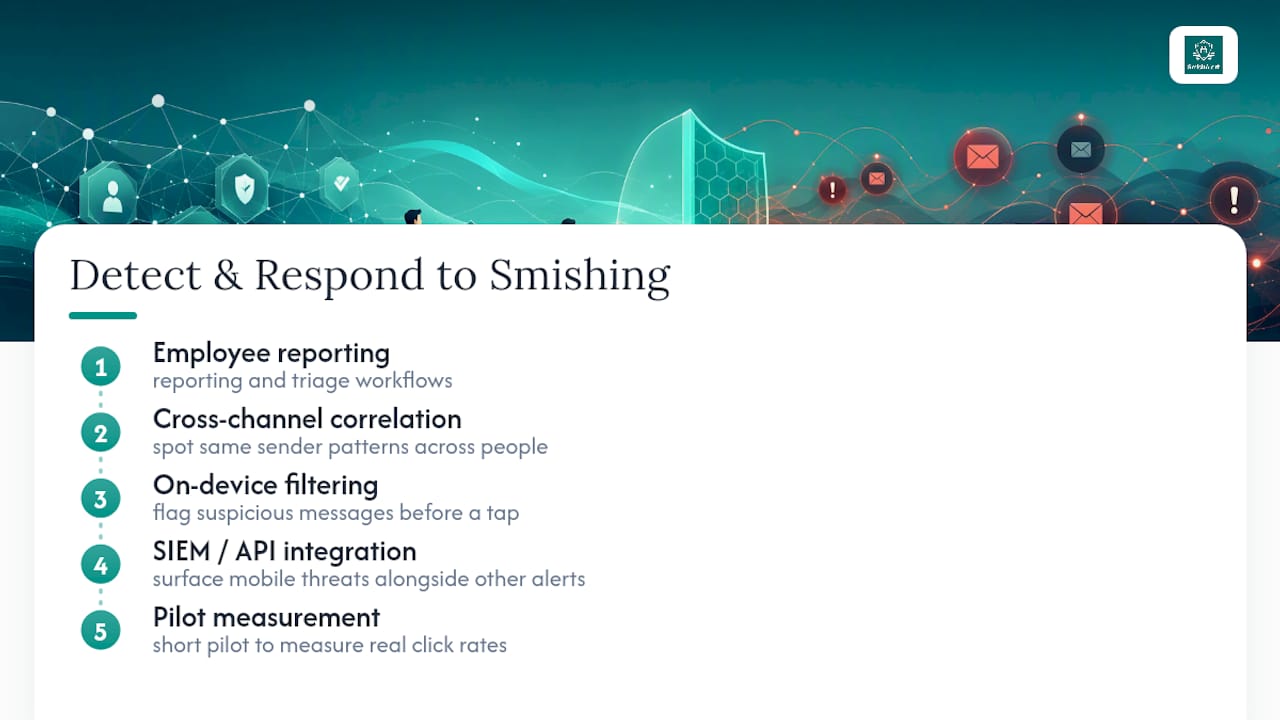
Effective mitigation combines a few categories: employee reporting and triage workflows, correlation across channels to spot the same sender pattern hitting multiple people, on-device filtering that flags suspicious messages before a tap, and SIEM/API integration so mobile threats show up alongside everything else a security team already monitors. Security leaders evaluating exposure often start with a short pilot to measure real click rates before committing to a broader rollout, a step that reveals how enterprises detect phishing attacks hitting messaging apps specifically.
A Practical Priority Order for Closing the Gap
The individual habits and the organizational controls described above aren’t separate problems. Every employee who avoids clicking a smishing link is one less foothold for an attacker trying to move into a corporate network. Verify before you act, report what you catch, and turn on the protections that are already available to you. Security teams should treat messaging exposure as seriously as email exposure, because attackers already have.
— Sophie
See How SmishAlert Closes the Mobile Blind Spot
Smishing succeeds because it lands on a personal device that most corporate defenses never see. A security platform built specifically for that gap gives security teams visibility into SMS, iMessage, and WhatsApp threats aimed at employees and executives instead of leaving mobile messaging as an unmonitored channel.

Such platforms correlate campaigns across channels, filter threats on-device, and feed incident context into SIEM/API integrations that security teams already rely on for email. This is especially important for organizations in healthcare, finance, and other compliance-heavy sectors, where a single successful payroll fraud or credential-harvesting text can turn into a much bigger incident. Security leaders, IT teams, and managed security providers use these kinds of tools to turn messaging risk into something measurable instead of a gap they’re hoping nobody exploits. If you want a clear picture of your current exposure before committing to anything, request a 30-day social engineering exposure assessment and see what’s actually reaching your employees’ phones right now.
Sources
For more detail on the distinctions covered here, Experian’s breakdown of phishing, smishing, and vishing covers identity theft trends in depth, while Malwarebytes’ smishing guide explains payload types clearly. For enterprise readers, Smishalert’s guide on SMS phishing prevention for security teams goes deeper into building detection programs.
- Smishing vs. Phishing - Check Point Software
- Vishing vs Smishing: Key Differences, Real Attack Examples, and How to Defend Against Voice and SMS Phishing Threats | Adaptive Security
- What is Smishing (SMS Phishing) & How to Protect Yourself | Malwarebytes