
Detect Mobile QR Phishing on SMS & WhatsApp in Two Minutes for Security Teams
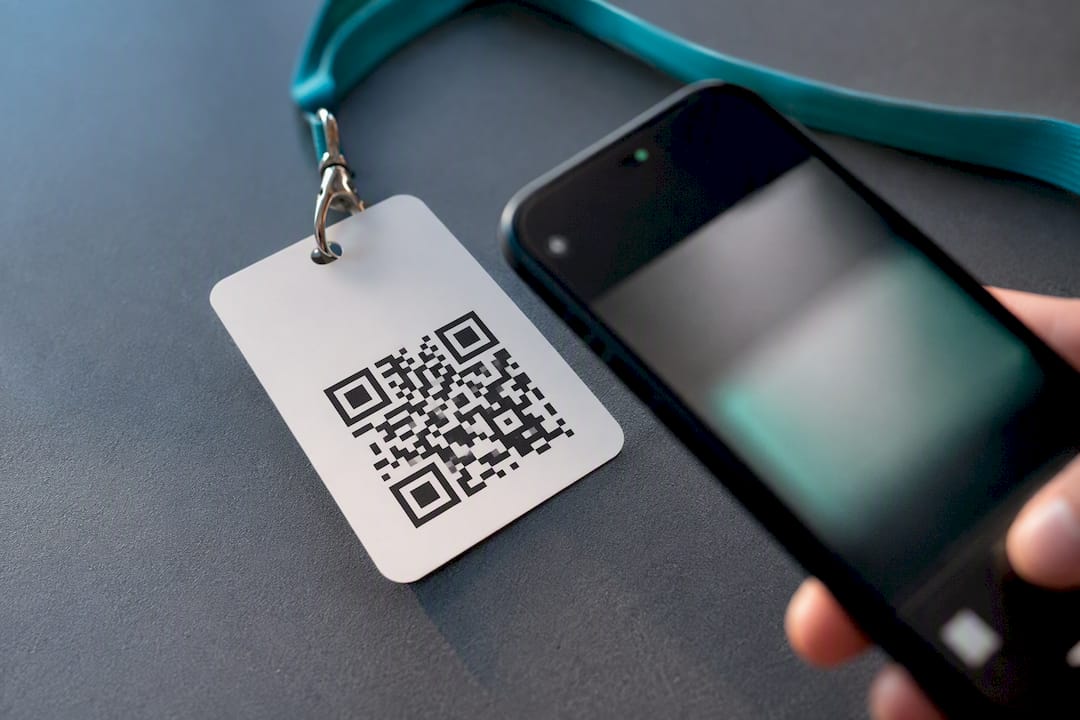
Quishing is phishing delivered through a QR code instead of a text link, and it works because scanning feels harmless while it actually launches a browser or app on a device with far fewer defenses than a corporate laptop. The moment a scan leads somewhere unexpected, stop interacting immediately, never enter credentials or one-time codes on the page that loads, and preview the destination URL before tapping anything. If you already typed a password or code, change it now and treat the account as compromised.
TL;DR:
- Scanning suspicious QR codes should prompt immediate caution, as attackers can use short-lived or dynamic links to redirect victims to malicious sites.
- Attackers often embed QR codes in trusted physical and digital surfaces like parking meters, restaurant menus, or invoices, exploiting users’ trust in these contexts.
- Traditional email security controls are ineffective against QR code scams because the malicious links are embedded in images, not text, allowing them to bypass filters.
- Using built-in scanners that preview URLs and verifying destinations can help identify malicious codes before scanning or interacting with them.
- After scanning a suspected malicious QR code, victims should stop interaction, change affected credentials, enable phishing-resistant MFA, and report the incident promptly.
Table of Contents
- What Is QR Code Phishing on Mobile, and Why Does It Matter Now?
- How Do Quishing Attacks Actually Work?
- Where Do Mobile QR Code Scams Show Up Most Often?
- Why Do Quishing Attacks Slip Past Traditional Security Controls?
- How Can You Spot a Malicious QR Code Before You Scan It?
- What Technical Controls Actually Reduce Mobile QR Risk?
- How Should Enterprise Security Teams Detect and Respond to Quishing?
- What Should You Do Immediately After Scanning a Malicious QR Code?
- What Should Defenders Prioritize First?
- See Quishing Campaigns Before They Reach Your Employees
- Sources
What Is QR Code Phishing on Mobile, and Why Does It Matter Now?
Quishing, short for “QR code phishing,” uses a scannable image rather than a clickable link to steer victims toward credential-harvesting pages, malware downloads, or fraudulent payment forms. Security researchers also call it QR code phishing, mobile QR fraud, or image-based phishing, but the mechanism is identical: the payload hides inside a pattern of black and white squares that a phone’s camera decodes automatically.
The technique shows up almost everywhere a printed or digital surface exists. Parking meters, restaurant tables, conference badges, invoices, and text messages have all carried malicious codes. Vendor telemetry from Unit42 has tracked large volumes of malicious QR detections, and coverage from CNBC describes quishing scams affecting a wide swath of American consumers, many of whom scan codes without checking where they lead.
Mobile is the preferred battlefield for a specific reason: personal devices sit outside the perimeter that email security and endpoint agents typically protect, and users have been trained for a decade to trust QR codes as a normal part of daily life, from restaurant menus to boarding passes.
Quick facts on the quishing landscape:
- QR codes bypass most text-based URL filters because the link is embedded in an image, not readable text.
- The FBI and vendor research identify QR codes as a growing mobile-first phishing vector aimed at bypassing enterprise email defenses.
- Attackers increasingly pair QR codes with SMS follow-up conversations to extract multifactor authentication codes after the initial scan.
How Do Quishing Attacks Actually Work?
A quishing attack follows a predictable sequence, even though the entry point varies. Understanding the flow helps defenders map detection opportunities at each stage rather than treating the scan itself as the only chokepoint.
- Code generation. The attacker builds a QR code pointing to a phishing kit, often hosted on a compromised domain or a disposable subdomain designed to survive only a few hours.
- Distribution. The code gets printed on a sticker, embedded in a PDF invoice, dropped into an email, or texted directly as an image attachment.
- Scan and redirect. The victim scans with a phone camera, which opens a mobile browser and follows a redirect chain, frequently through a URL shortener that can be swapped at any time.
- Landing page. The destination mimics a familiar service, a delivery carrier, a benefits portal, or a corporate single sign-on page, and asks for credentials or payment details.
- Harvest or install. Credentials get captured instantly, or the page prompts an Android user to install an APK file outside the official app store.
- Follow-up contact. In more sophisticated campaigns, attackers text the victim afterward, posing as support staff, to talk them into reading back a multifactor code.
That last step is the part most organizations underestimate. Researchers at Lawrence Berkeley National Laboratory documented campaigns where a QR code embedded in an email led to a spoofed login page, and once the victim submitted a phone number, attackers switched to SMS conversations to solicit live MFA codes. That human-in-the-loop step defeats many forms of two-factor authentication that rely on a code rather than a phishing-resistant method.
Other techniques compound the risk. QR shorteners let attackers change the final destination after the code is already printed or distributed, so a code that looked clean during review can turn malicious days later. In-app deep links can route a scan directly into a banking or shopping app’s authentication flow, skipping the browser address bar entirely. Direct APK delivery targets Android devices with sideloaded malware disguised as a delivery-tracking or rewards app.
Pro Tip: Treat any QR code that triggers a follow-up phone call or text asking you to “verify” a code as an active attack in progress, not a legitimate support interaction. Legitimate providers do not call to ask you to read back a one-time passcode.
Where Do Mobile QR Code Scams Show Up Most Often?
Quishing rarely announces itself. It hides inside contexts people already trust, which is exactly why it works.
- Parking meters and EV chargers. Attackers place a sticker over the legitimate payment code, sending drivers to a fake payment page that captures card details instead of processing a parking fee.
- Restaurant tables and menus. A swapped or overlaid code replaces a real ordering system with a cloned page designed to harvest card numbers.
- Unexpected package notices. A postcard or door tag claims a delivery failed and asks the recipient to scan a code to “reschedule,” a pattern flagged directly by the US Postal Inspection Service.
- Invoices and HR notices. A PDF attachment or internal-looking memo embeds a QR code instead of a text link, since many email gateways scan text links but not the image data inside a code.
- Conference badges and event signage. A printed code promising a schedule or Wi-Fi login instead pushes a credential-harvesting page tuned to look like a corporate portal.
The common thread across every scenario is a mismatch between the physical or digital packaging and the destination the code actually opens. A parking app should not ask for a full card number and a security question. An HR notice should not require a login before you can read it. Training people to notice that mismatch matters more than memorizing a list of locations.
Why Do Quishing Attacks Slip Past Traditional Security Controls?
Most enterprise phishing defenses were built to scan text. QR codes exploit that gap directly.
- Image-embedded links avoid text filters. Secure email gateways that rewrite or block suspicious URLs in message bodies often cannot parse a link hidden inside an image attachment or a PDF.
- Redirect chains obscure the real destination. A code might point to a trusted platform’s short-link service first, then bounce through two or three additional redirects before landing on the phishing page, which defeats simple domain reputation checks.
- Mobile offers alternate attack surfaces. Deep links can open directly inside a banking or messaging app, and Android devices that allow sideloading give attackers a path to install malware without ever touching a browser.
- Personal devices sit outside managed telemetry. A scan on a personal phone during a lunch break generates no log entry that a corporate SIEM will ever see.
That last point is the one enterprise security teams miss most often. Zimperium’s analysis notes that attackers deliberately shift phishing to mobile because personal devices lack the layered defenses of a managed desktop, and users have been conditioned to treat QR interactions as routine rather than risky. For threat hunters, this means the absence of alerts is not evidence of absence. It usually means the attack is happening on a channel nobody instrumented in the first place. QR shorteners compound the problem further, since Unit42’s telemetry shows they give attackers dynamic control over the final destination, which makes static blacklists stale within hours.
How Can You Spot a Malicious QR Code Before You Scan It?
A few seconds of inspection catch most quishing attempts before any damage happens.
- Check the physical surface first. Look for a sticker layered over another code, tape edges, or a code that seems slightly misaligned with the sign or poster around it.
- Use the camera’s link preview. Most phone cameras show the destination URL before opening it. Read the full string, not just the first few characters.
- Scrutinize the URL itself. Watch for misspelled brand names, unusual top-level domains, plain
httpinstead ofhttps, or a chain of shortened links stacked on top of each other. - When in doubt, skip the code entirely. Open the official app or type the known web address manually instead of trusting the scan.
- Treat urgency as a warning sign. Codes tied to “your package,” “your parking session expired,” or “verify now” framing deserve extra scrutiny regardless of where they appear.
National cybersecurity guidance from the UK’s NCSC makes the same point that applies everywhere: a QR code is just a link wearing a disguise, and it deserves the same scrutiny you would give any unsolicited hyperlink.
Pro Tip: If a QR code asks you to log in with an account you already have a bookmarked app for, close the browser tab and open the app directly instead. Legitimate services almost never require a fresh login through a scanned link when a trusted app already exists.
What Technical Controls Actually Reduce Mobile QR Risk?
User awareness only goes so far. The controls below reduce exposure even when someone scans a code they should not have.
- Patch aggressively. Keep mobile operating systems and browsers current, since many quishing payloads chain into exploits that target known, unpatched vulnerabilities.
- Block unknown app sources. Disable sideloading and unknown-source APK installs on managed Android devices, and restrict installs to official app stores wherever policy allows.
- Favor built-in scanners with link previews. Native camera-based scanners that show the destination URL before opening it give users one extra checkpoint that third-party scanning apps sometimes skip.
- Deploy on-device URL filtering or Mobile Threat Defense. These tools inspect destinations at the moment of the tap, rather than relying on a static blacklist compiled before the campaign launched, a mitigation Unit42 recommends directly.
- Move to phishing-resistant MFA. FIDO2 and WebAuthn-based authentication cannot be phished through a fake login page the way a one-time code can, since the cryptographic key never leaves the device. The deployment playbook from NullVector covers how IT teams roll this out without disrupting existing workflows.
- Layer conditional access policies. Require device compliance checks or geographic risk signals before granting access to sensitive systems, even after successful authentication.
None of these controls stop a determined user from scanning a bad code. Together, they shrink the blast radius once one gets through.
How Should Enterprise Security Teams Detect and Respond to Quishing?
Email security tools were never built to see a QR code that arrives over SMS, iMessage, or WhatsApp, which means most enterprise quishing campaigns unfold in a channel nobody is watching. Closing that gap starts with visibility, not just policy.
- Extend monitoring beyond email. SMS, iMessage, and WhatsApp carry a growing share of quishing lures, particularly the SMS blaster campaigns that push malicious codes to thousands of numbers in a single burst.
- Correlate reports by domain and time. Instrumenting user-submitted scan reports so they can be matched by domain, timestamp, and message vector reveals campaign patterns days before a single complaint would, enabling faster domain takedowns.
- Build a real incident workflow. Triage each report, block the malicious domain at the network and DNS layer, notify affected users directly, and feed indicators into your SIEM for cross-channel correlation.
- Run a scoped pilot before committing budget. A short evaluation period focused on real scan reports and campaign correlation tells you far more about your actual exposure than a policy review ever will.
Pro Tip: Track “time from first report to domain block” as a core metric. It is one of the clearest signals of whether your messaging-security program is actually operational or just aspirational.
Contextual warnings delivered at the moment a suspicious link is tapped, rather than after the fact, close a meaningful part of this gap, an approach detailed in how contextual phishing warnings work.
What Should You Do Immediately After Scanning a Malicious QR Code?
Fast, methodical action limits the damage far more than panic does.
- Stop interacting immediately. Close the browser tab or app screen without entering any further information, even if the page asks for “just one more” field.
- Do not submit credentials twice to “confirm.” If you already entered a password or code, do not re-enter it anywhere else, even on a page that looks like the real recovery flow.
- Rotate credentials right away. Change the password for the affected account and any account sharing that password, then revoke active sessions where the service allows it.
- Enable phishing-resistant MFA if it is not already active. A time-based code can still be phished; a hardware key or platform passkey generally cannot.
- Check for unauthorized activity. Review recent logins, sent messages, and financial transactions tied to the account for anything unfamiliar.
- Report it. Notify the organization being impersonated, alert your internal security team if this happened on a work device, and file a report with the FTC or local law enforcement when money or sensitive data changed hands.
Escalation from a simple scan to full account takeover often moves faster than victims expect, which is why the pattern of escalation from messaging lures to browser credential theft is worth understanding before it happens to your organization, not after.
What Should Defenders Prioritize First?
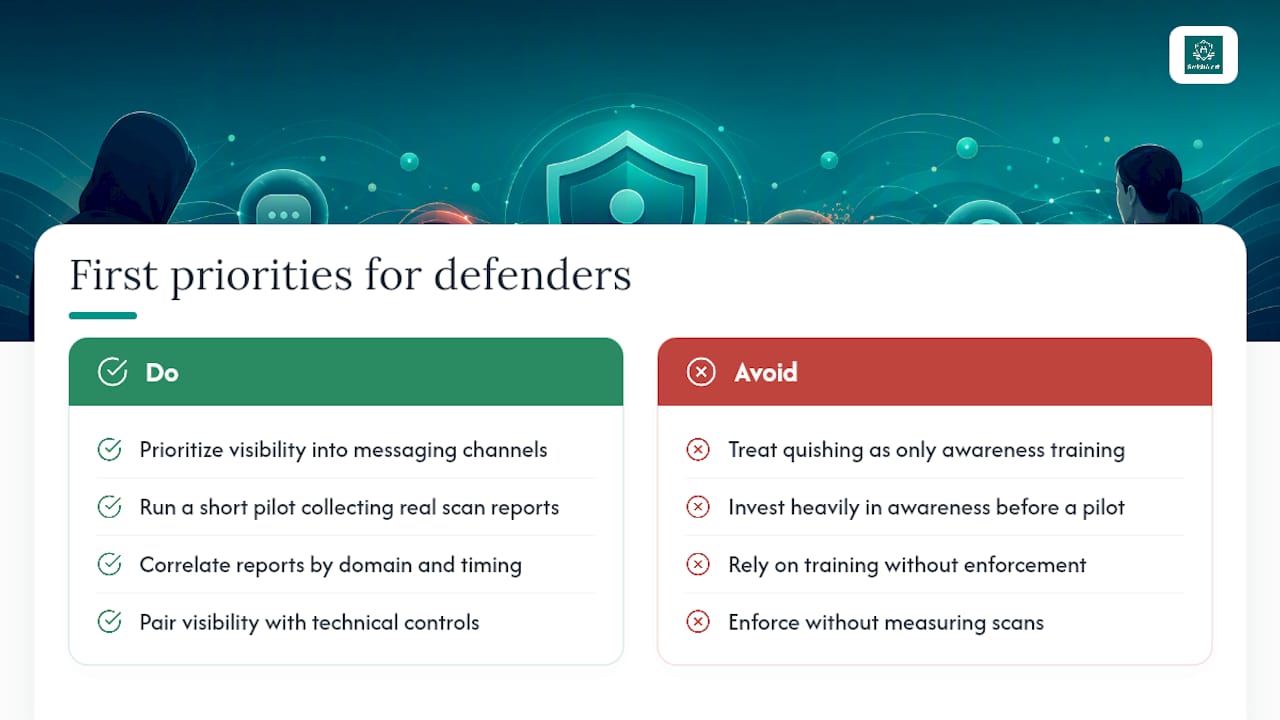
Most organizations treat quishing as an awareness problem and stop there. That is a mistake. Awareness training helps individuals catch obvious lures, but it does nothing to tell a security team how many employees scanned a code last month, which domains those scans touched, or whether three separate reports actually belong to the same coordinated campaign.
Visibility into messaging channels matters more than another training module. Run a short pilot that collects real scan reports and correlates them by domain and timing before investing heavily in awareness content alone. Pair that visibility with technical controls and a documented incident playbook, since training without enforcement, and enforcement without measurement, both leave gaps attackers will find.
— Sophie
See Quishing Campaigns Before They Reach Your Employees
Email security stops at the inbox, but quishing lures increasingly arrive through SMS, iMessage, and WhatsApp, channels most enterprise tools never touch. Security teams can gain direct visibility into messaging-based social engineering by correlating scan reports and lookalike domains across the organization instead of waiting for a single employee to escalate a suspicious text.

The Smishalert platform captures user-reported threats, correlates them into campaigns, and feeds indicators into existing SIEM workflows, so a quishing attempt hitting three employees on three different days gets flagged as one coordinated campaign instead of three unrelated tickets. If you want a fast read on where your organization actually stands, start with the two-minute self-evaluation to see how much messaging-based risk is currently invisible to your security stack.
Sources
For primary sourcing beyond this guide, review the FBI-aligned vendor advisory on QR phishing, Unit42’s technical breakdown, and the FTC’s consumer alert on QR code scams.
- Phishing on the Edge of the Web and Mobile Using QR Codes
- New Phishing Tactics: QR codes and SMS
- Scammers hide harmful links in QR codes — steal your information