
What "Checking the Header" Means for Messaging-Based Attacks
For mobile smishing and messaging impersonation, checking the header means collecting and analyzing message metadata, not the RFC-822 sender fields security teams pull from Exchange or Gmail. There is no equivalent “header” in a text message or an iMessage thread. What exists instead is a set of transport and device-level artifacts: message IDs, delivery receipts, sender handles or JIDs, CDN tokens, timestamps, and carrier session logs.
That metadata can prove a lot even when the message content itself is gone, encrypted, or unrecoverable. It can establish a defensible timeline, map who sent what to whom, and anchor attachments to specific events using hashes rather than screenshots. What it usually cannot do is fully reconstruct end-to-end encrypted content once a device is wiped or a backup was never enabled.
- Device stores hold message bodies and attachments when they exist.
- Carriers hold transport metadata: SMSC records, call detail records (CDRs), IMS/SIP signaling.
- Vendors and cloud backups hold account metadata and, occasionally, backup-derived content.
Key Takeaways
Provable timelines in smishing investigations come from preserved metadata, not screenshots, and speed of preservation determines what evidence still exists by the time legal process catches up.
| Point | Details |
|---|---|
| Metadata beats content | Message IDs, hashes, and timestamps often prove a timeline even when content is encrypted or deleted. |
| Act in the first 90 minutes | Secure the device, extract or preserve, and alert your SIEM before logs rotate out. |
| Request specific fields | Name exact fields like CDN logs and backup manifests in preservation letters, not blanket requests. |
| Screenshots are not evidence | Pair any screenshot with a hashed, chain-of-custody extraction before relying on it. |
| Campaign correlation shortens response | Enterprise visibility tools flag related messages across employees before manual review would. |
Table of Contents
- How to Check Email Headers for Mobile Smishing Cases
- Where Do Messaging Headers and Metadata Actually Live?
- What Should You Request From Carriers and Vendors?
- How Do You Build a Timeline From Message Metadata?
- Why Screenshots Fail as Evidence
- Which Tools Actually Support This Workflow?
- Ready to See Where Your Messaging Blind Spots Are?
- Frequently Asked Questions
- Sources
How to Check Email Headers for Mobile Smishing Cases
The first 60 to 90 minutes after a suspicious message lands determine whether you’ll have provable metadata or just a story an employee tells you weeks later. Speed matters because push logs, session tokens, and carrier records age out fast.
- Secure the device first. Photograph the screen showing the message in context, including the app, timestamp, and sender identifier. Do not rely on a screenshot as your only evidence. If the phone is unlocked, do not let it lock or the passcode change.
- Acquire a backup or extraction immediately if unlocked. An encrypted local backup (iTunes/Finder) or a logical extraction captures far more than what’s visible on screen, including database rows that never render in the UI.
- If locked, stop trying to unlock it. Preserve the device as-is and prepare legal requests instead. Guessing a passcode risks wiping the phone.
- Record the durable identifiers. Capture the message ID, timestamps, sender handle or JID, attachment hashes or URLs, device identifiers (IMEI/UDID), and any push tokens visible in logs.
- Loop in your SIEM or XDR immediately. Correlate the message timestamp against authentication logs, VPN sessions, and endpoint telemetry before those logs rotate out.
Pro Tip: Set a standing retention hold on your SIEM the moment a smishing report comes in, even before you know if it’s a real incident. Most platforms rotate authentication logs faster than investigations move.
Where Do Messaging Headers and Metadata Actually Live?
Every messaging app stores its own version of a header, buried in a database rather than displayed to the sender or recipient. Knowing exactly where to look separates a fast investigation from one that stalls waiting on a forensic vendor.
On iOS, SMS and iMessage consolidate into a single SQLite database at /private/var/mobile/Library/SMS/sms.db. The message, chat, handle, and attachment tables hold the primary forensic record, and deleted messages frequently persist in the write-ahead log (WAL) even after they disappear from the Messages app. Apple’s Recently Deleted behavior on iOS 16 and later adds a recovery window, but it is not indefinite, so don’t treat it as a safety net.
- WhatsApp and similar apps store conversations in
ChatStorage.sqliteon iOS andmsgstore.dbon Android, both frequently protected with SQLCipher encryption, which means a plain file copy won’t open in a generic SQLite viewer. - Attachments carry their own metadata. Payload_data plists on iOS can cache URL previews and page titles captured at the moment a link was sent, which becomes decisive when the destination page has since changed. EXIF data and CDN-signed URLs anchor images and files to specific delivery events.
- Carrier-side logs sit outside the device entirely. SMSC records and CDRs, RCS session logs, IMS/SIP signaling, and push service logs from APNs or FCM all live with the carrier or platform vendor, not the phone.
Device endpoints, carriers, and vendors each hold a genuinely different artifact class, and retention windows for each vary by provider, which is precisely why waiting to request them is the most expensive mistake in this process.
What Should You Request From Carriers and Vendors?
Preservation only works if you ask before the data ages out. Send preservation letters immediately, and send them to every party that might hold a fragment: the carrier, the app vendor, the cloud backup provider, and any CDN involved in serving attachments.
- Account registration details and session timestamps tied to the sender’s identifier.
- Message IDs and delivery receipts showing when a message was sent, delivered, and read.
- CDN signed-URL issuance logs for any linked attachment or landing page.
- Backup manifests and object hashes from cloud storage, where available.
- APNs or FCM delivery logs confirming push notification timing.
Ask for these fields by name rather than a blanket “all records” request. Specificity speeds processing and reduces the chance a provider’s legal team bounces the request back for clarification.
Vendor behavior varies enough to plan around it directly. Apple’s iMessage lookup windows are limited, and whether iCloud backups (and Advanced Data Protection settings) contain recoverable content depends entirely on what the user had enabled. Providers can supply account metadata and sometimes backup-derived content, but availability differs sharply by app and by backup configuration, so WhatsApp’s Google Drive or iCloud backup caveats need the same scrutiny.
Pro Tip: File preservation letters within the first day, even before you’ve decided whether to pursue a subpoena or warrant. Preservation and legal process are separate steps, and skipping the first one means there may be nothing left to request by the time the second one is approved.
How Do You Build a Timeline From Message Metadata?
Metadata is only useful once it’s normalized and connected across sources. A message ID from a carrier log means nothing next to a device timestamp unless both are converted to the same clock and the same time zone.
- Normalize every timestamp to UTC and record which clock or source produced it, since device clocks drift and carrier logs may use a different epoch.
- Anchor events across sources using message IDs, CDN tokens, and SHA256 hashes of attachments. These persist even when plaintext content is unavailable.
- Map every identifier to a canonical investigator ID. MSISDN, Apple ID, JID, and IMEI all describe the same person or device from different angles, and conflating them causes false correlations.
- Ingest the normalized metadata into a timeline engine or SIEM and correlate it against SSO logins, VPN sessions, and endpoint telemetry from the same window.
| Identifier Type | What It Anchors | Typical Source |
|---|---|---|
| Message ID | A specific send/receive event | Device DB, carrier logs |
| SHA256 hash | An attachment’s exact content | Device storage, CDN logs |
| CDN token | A link click or file access event | CDN issuance logs |
| MSISDN/JID | The sender or recipient identity | Carrier records, app account data |
App database schemas shift between versions, so check sqlite_master or an equivalent schema map before running queries, or you risk a false negative that looks like missing evidence but is really just a mismatched query.
Why Screenshots Fail as Evidence
Screenshots strip out every field that makes metadata useful: no message ID, no hash, no timestamp source, and no way to verify the image hasn’t been edited. Courts and internal investigators alike treat them as weak on their own.
- Prefer file-system or physical extractions over logical backups when recovering deleted content, since WAL and journal analysis can surface rows a standard export misses.
- Hash every artifact you collect and document chain-of-custody at each handoff, including acquisition logs and the exact tool version used.
- When only carrier metadata is available, know its limits: it can prove delivery and timing, but it usually cannot prove what the message said.
Text messages are far harder to authenticate than most people assume. Genuine forensic extraction with hash verification and documented chain-of-custody is what separates admissible evidence from a screenshot someone could have edited in five minutes.
Which Tools Actually Support This Workflow?
Manual file browsing rarely works against modern messaging apps, since most secure messengers store data in SQLCipher-encrypted local databases that won’t open without the right key and tooling. Mobile forensic suites capable of logical and file-system extraction cover most smishing investigations; full physical imaging is reserved for cases where deleted content matters and legal authority supports a deeper acquisition.
- Timeline engines such as Plaso or Timesketch, or a well-tuned SIEM ingestion pipeline, turn scattered timestamps into a single correlated view.
- Preservation letter templates and legal-request generators cut the time between “we found something suspicious” and “the carrier has a hold on the record.”
- Custom parsers matter because app database schemas vary by version and vendor, and a generic SQLite viewer often misses fields a purpose-built parser catches.
This is where enterprise messaging visibility changes the equation rather than just supporting it after the fact. Smishalert captures user-reported smishing and impersonation attempts as they happen, correlates them into campaigns across SMS, iMessage, and WhatsApp, and surfaces indicators your team would otherwise reconstruct manually days later. Instead of starting an investigation from a single employee’s screenshot, security teams get campaign-level correlation that flags related messages hitting other employees, often before a second person clicks.
That matters most for executive impersonation and payroll fraud campaigns, where the same sender infrastructure typically hits multiple targets within hours. Recognizing the pattern early gives your team a head start on preservation before the attacker rotates numbers or takes down a phishing landing page.
Pro Tip: Feed SmishAlert’s campaign indicators directly into your SIEM correlation rules. A sender pattern flagged against one employee’s report becomes a detection rule that catches the next attempt automatically.
A Practitioner’s Note on What Actually Goes Wrong
The most common mistake is delay: teams wait, rely on a screenshot, and lose the metadata that would have proven the case. Preservation letters, immediate backup acquisition, and SIEM correlation in the first hours matter more than any tool you buy afterward.
Ready to See Where Your Messaging Blind Spots Are?
Most security teams have solid email visibility and almost none on SMS, iMessage, or WhatsApp, which is exactly where impersonation and payroll fraud campaigns now land. Smishalert gives you reporting, campaign correlation, and audit-ready incident data for the messaging channels your existing stack doesn’t touch. Run a two-minute readiness check to see how exposed your organization is, or explore the full solution set built specifically for mobile social engineering defense.
Frequently Asked Questions
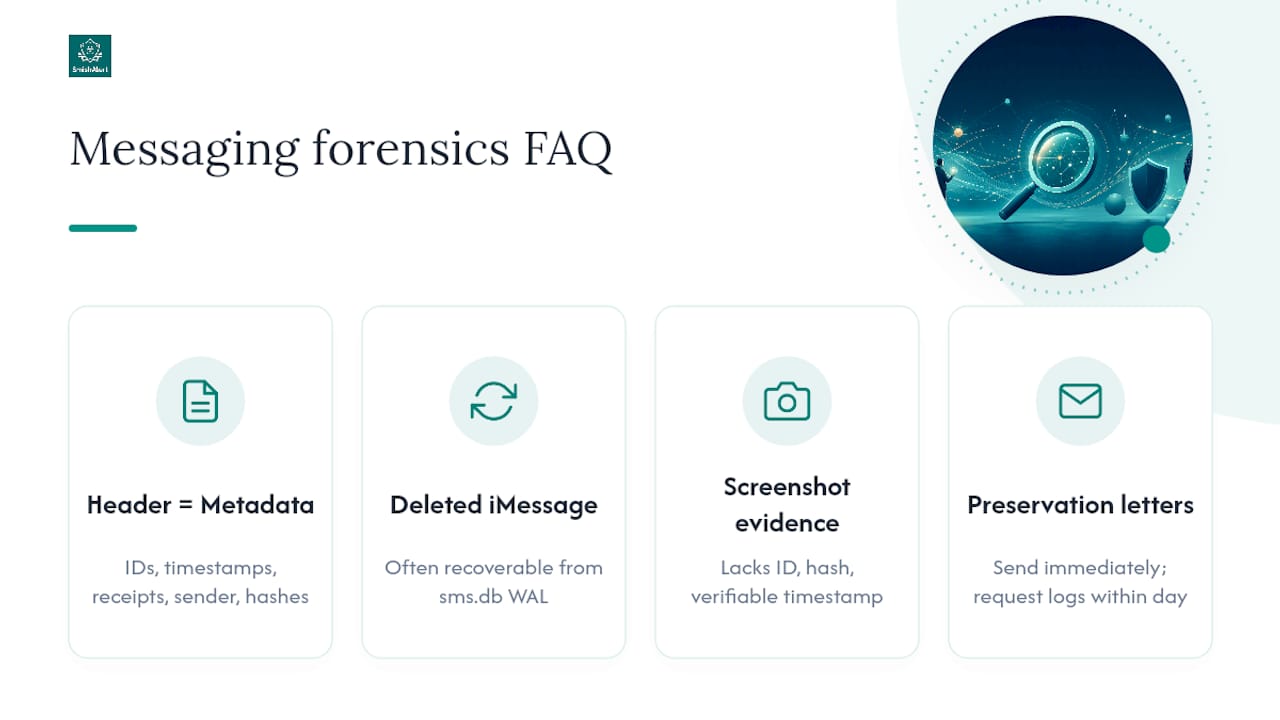
What does “check header of email” mean for a text message or iMessage? It means examining the message’s metadata, message IDs, timestamps, delivery receipts, sender handles, and attachment hashes, since SMS and messaging apps don’t have RFC-822 email headers.
Can you recover a deleted iMessage during an investigation? Often yes, at least for a window, since deleted messages frequently persist in the sms.db write-ahead log even after removal from the Messages app.
Why isn’t a screenshot enough to prove a smishing attempt? A screenshot carries no message ID, hash, or verifiable timestamp source, so it can’t be authenticated the way a forensic extraction can.
How fast should preservation letters go out? Immediately, within the first day if possible, since carrier and vendor logs age out and specificity in the request speeds provider response.
Where does SmishAlert fit in an investigation? It surfaces user-reported messaging threats and correlates them into campaigns, giving security teams early indicators before a full forensic extraction is even underway.
Sources
- iPhone Text Message & iMessage Forensics | sms.db, WAL | EDF - Elite Digital Forensics
- Forensic trails in encrypted messaging: Metadata’s role
- Text messages as evidence: Harder than you think - Burgess Forensics
- We now know what information the FBI can obtain from encrypted messaging apps | Just Security